“เสียงนี้มาจากชิ้นไหน?”“Which part is making this noise?”
ผลิตภัณฑ์หนึ่งชิ้นมีแหล่งเสียงได้หลายแหล่งพร้อมกัน เช่น มอเตอร์ ใบพัด ลมที่ไหลผ่านช่อง ตัวครอบที่สั่นตาม หรือจุดยึดที่ส่งการสั่นไปยังแผ่นอื่น หูบอกได้ว่ามีเสียงหวีดหรือเสียงหึ่ง แต่บอกไม่ได้ว่ามาจากชิ้นใด ถ้าเดาผิด ทีมอาจใช้เวลาหลายรอบกับการเปลี่ยนชิ้นส่วนที่ไม่ใช่ต้นเหตุOne product can have several sources at once: a motor, an impeller, air flowing through an opening, a housing shaken along, or a mounting passing vibration to another panel. The ear can tell there is a whine or a hum but not which part makes it. A wrong guess can cost the team several rounds of changing parts that are not the cause.
กล้องเสียงแสดงภาพจริงของผลิตภัณฑ์พร้อมสีบอกบริเวณที่เสียงในย่านความถี่ที่เลือกออกมาแรงที่สุด ทำให้ทีมออกแบบ ทีมผลิต และผู้บริหารเห็นจุดเดียวกัน และเลือกได้ว่าจะทดลองแก้ที่ใดก่อนAn acoustic camera shows the real image of the product with colour marking where sound in the selected frequency band comes out most strongly. Design, production and management see the same spot and can choose what to try first.
กล้องเสียงให้อะไร และไม่ให้อะไรWhat the camera gives, and what it does not
| ต้องการรู้You want to know | กล้องเสียงAcoustic camera | ใช้วิธีอื่นUse another method |
|---|---|---|
| ส่วนไหนเป็นต้นเสียงในย่านที่เป็นปัญหาWhich part dominates the problem band | กล้องเสียงAcoustic cameraใช่ เป็นหน้าที่หลักYes: its main job | ใช้วิธีอื่นUse another method–– |
| เสียงเปลี่ยนหรือไม่หลังแก้ไขDid the fix change the sound | กล้องเสียงAcoustic cameraใช่ เทียบภาพและสเปกตรัมก่อนและหลังในสภาวะเดียวกันYes: compare images and spectra before and after in the same condition | ใช้วิธีอื่นUse another methodยืนยันระดับด้วยเครื่องวัดระดับเสียงConfirm levels with a sound level meter |
| กำลังเสียงของผลิตภัณฑ์ (ค่าที่ใช้ระบุบนฉลากหรือเอกสาร)The product's sound power (for labels or declarations) | กล้องเสียงAcoustic cameraไม่ได้No | ใช้วิธีอื่นUse another methodวัดกำลังเสียงตามมาตรฐานA standardised sound power measurement |
| สาเหตุทางกลไกThe mechanical cause | กล้องเสียงAcoustic cameraไม่ได้โดยตรงNot directly | ใช้วิธีอื่นUse another methodวิเคราะห์ความถี่ วัดการสั่น ทดสอบเปิดปิดFrequency analysis, vibration measurement, on/off tests |
ค่ากำลังเสียงที่ใช้ระบุบนฉลากหรือเอกสารของผลิตภัณฑ์ต้องวัดตามมาตรฐาน อ่านได้ที่คู่มือวิธีวัดกำลังเสียงของเครื่องจักรและอุปกรณ์Sound power values for product labels or declarations must be measured to a standard; see the guide on how to measure the sound power of machines and equipment.
เตรียมการทดสอบPreparing the test
- กำหนดสภาวะการทำงาน: รอบ ภาระ โหมด อุณหภูมิ และสิ่งที่เปิดอยู่ เสียงหลักอาจเปลี่ยนตามสภาวะ จึงต้องทดสอบในสภาวะที่เกิดปัญหาและจดไว้Define the operating condition: speed, load, mode, temperature and what else is running. The dominant source can change with the condition, so test in the condition that causes the problem and write it down.
- ลดเสียงรอบข้าง: ปิดเครื่องอื่นที่ไม่เกี่ยวข้องเท่าที่ทำได้ และหลีกเลี่ยงการวางชิ้นงานชิดผนังแข็งที่สะท้อนเสียงReduce other sound: switch off unrelated equipment where possible, and avoid placing the item right against hard reflecting walls.
- ยึดตำแหน่งกล้อง: ใช้ขาตั้งกล้อง (เกลียว 1/4 นิ้ว) และจดระยะกับมุมไว้ เพื่อให้เทียบก่อนและหลังได้ คู่มือระบุระยะทำงานขั้นต่ำ 0.3 mFix the camera position: use a tripod (1/4-inch screw) and note distance and angle so before and after can be compared. The manual gives a minimum operating distance of 0.3 m.
- เลือกรูปแบบบันทึก: ถ้าต้องวิเคราะห์ต่อหรือเทียบใน Sorama Portal ต้องบันทึกแบบ RAW (.sor) ตั้งแต่แรก ไฟล์ประมาณ 600 MB ต่อ 30 วินาที ตรวจพื้นที่เก็บข้อมูลก่อนChoose the recording format: analysis or comparison in the Sorama Portal needs RAW (.sor) from the start; files are about 600 MB per 30 seconds, so check storage first.
ขั้นตอนหาต้นเสียงSource-finding steps
- ฟังและดูสเปกตรัม ที่ตำแหน่งของผู้ใช้หรือจุดที่มีปัญหา หาว่าเสียงที่รบกวนอยู่ที่ความถี่ใด เช่น ยอดแคบของเสียงโทนListen and look at the spectrum at the user's position or the problem point to find where the annoying sound sits, such as the narrow peak of a tone.
- เลือกย่านรอบยอดนั้น โดยลากขอบบนสเปกตรัมของกล้อง ให้แผนที่แสดงเฉพาะเสียงนั้นSelect a band around that peak by dragging the limits on the camera's spectrum so the map shows only that sound.
- ดูแบบ Multi-source ว่ามีกี่บริเวณที่แผ่เสียงในย่านนั้น แล้วใช้ Single-source ยืนยันบริเวณที่เด่นที่สุดView in Multi-source to see how many areas radiate in that band, then use Single-source to confirm the most dominant one.
- ฟังเฉพาะทิศ ด้วย Directional Listening ผ่านหูฟังบลูทูธ วางวงกลมบนบริเวณที่สงสัยเพื่อฟังว่าเป็นเสียงเดียวกับที่ผู้ใช้บ่นหรือไม่Listen directionally with Directional Listening on Bluetooth headphones: put the circle on the suspect area and check it is the same sound users complain about.
- ดูสเปกโตรแกรม ถ้าเสียงเกิดเป็นช่วง ๆ เช่น เสียงคลิกหรือเสียงตอนเปลี่ยนโหมด และใช้ Pre-recording เพื่อไม่พลาดเหตุการณ์Use the spectrogram if the sound is intermittent, such as clicks or mode changes, and use pre-recording so events are not missed.
- บันทึก RAW แล้ววิเคราะห์ต่อใน Sorama Portal เช่น เลือกย่านอื่นจากข้อมูลเดิม หรือเทียบกับการบันทึกหลังแก้ไขRecord RAW and continue in the Sorama Portal, for example selecting other bands from the same data or comparing with a recording after the change.
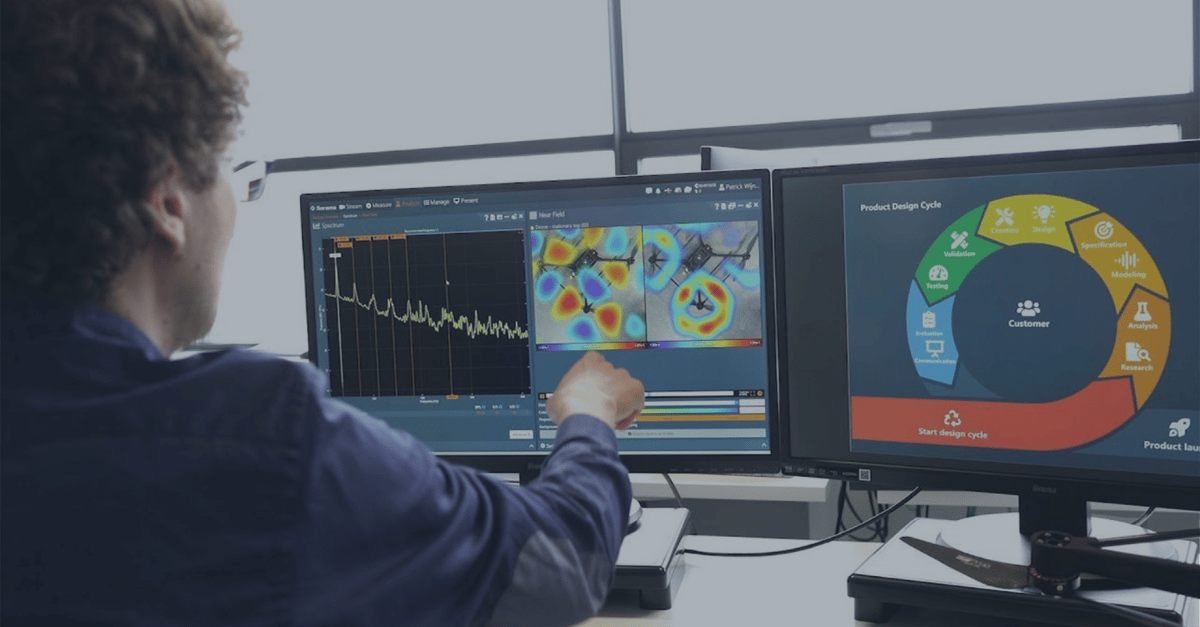
เทียบก่อนและหลังแก้ไขให้ถูกต้องComparing before and after correctly
- สภาวะเดียวกัน: รอบ ภาระ โหมด และสิ่งแวดล้อมเหมือนเดิม ถ้าสภาวะต่าง ผลเทียบกันไม่ได้Same condition: the same speed, load, mode and surroundings; otherwise the results cannot be compared.
- ตำแหน่งและการตั้งค่าเดียวกัน: ระยะ มุม ย่านความถี่ และโหมดแหล่งเสียงเดิมSame position and settings: the same distance, angle, band and source mode.
- อย่าเทียบสีเพียงอย่างเดียว: สีบนแผนที่เป็นค่าเปรียบเทียบภายในภาพ เมื่อแหล่งหลักเบาลง แหล่งถัดไปอาจกลายเป็นสีเด่นแทน ต้องดูสเปกตรัมและระดับเสียงควบคู่Do not compare colour alone: map colours are relative within each image. When the main source gets quieter, the next one may become the dominant colour, so look at spectra and levels as well.
- ยืนยันระดับด้วยเครื่องวัด: ค่า dB บนแผนที่ไม่ใช่ระดับความดันเสียงสัมบูรณ์ตามคู่มือของ Sorama ใช้เครื่องวัดระดับเสียงที่ตำแหน่งเดิมเพื่อยืนยันว่าเสียงลดลงจริงเท่าไร คู่มือระบุว่า CAM iV64 ต่อกับ NTi XL2 หรือ XL3 เพื่อแสดงระดับที่วัดโดยเครื่อง NTi บนจอได้Confirm levels with a meter: per Sorama's manual the on-map dB value is not an absolute sound pressure level. Use a sound level meter at the same position to confirm how much the level really dropped. The manual states the CAM iV64 can connect to an NTi XL2 or XL3 to show levels measured by the NTi instrument on screen.
สำหรับวิศวกร: ความถี่ ระยะ และแหล่งเสียงที่สัมพันธ์กันFor engineers: frequency, distance and related sources
เสียงของเครื่องจักรมักสัมพันธ์กับกลไก เช่น ความถี่ใบพัดผ่าน (จำนวนใบ × รอบต่อวินาที) ฮาร์มอนิกของความถี่นั้น ความถี่ขบกันของเฟือง หรือเสียงหึ่งทางไฟฟ้าที่สองเท่าของความถี่ไฟ การจับคู่ยอดในสเปกตรัมกับกลไกก่อน แล้วใช้แผนที่ยืนยันตำแหน่ง ให้หลักฐานที่ชัดกว่าการดูภาพย่านกว้างภาพเดียว ถ้าเปลี่ยนรอบแล้วยอดเลื่อนตาม และแผนที่ยังชี้บริเวณเดิม ความเชื่อมโยงยิ่งชัดขึ้นMachine noise usually relates to mechanisms: the blade-pass frequency (number of blades × revolutions per second) and its harmonics, gear-mesh frequencies, or electrical hum at twice the mains frequency. Matching spectral peaks to mechanisms first and then confirming the location on the map gives clearer evidence than one broadband picture. If a peak moves with speed and the map still points to the same area, the link is stronger.
- ขอบล่างของแผนที่ 500 Hz: ตามสเปกของ Sorama แผนที่ Beamforming (far-field) ของ CAM iV64 ทำงานที่ 500 Hz ถึง 27 kHz เสียงหึ่งจากมอเตอร์หรือหม้อแปลงที่ต่ำกว่านั้นเห็นบนสเปกตรัม แต่ต้องหาตำแหน่งด้วยวิธีอื่น เช่น การวัดใกล้ผิว การวัดการสั่น หรือการทดสอบเปิดปิดทีละชิ้นThe 500 Hz map limit: per Sorama's specification, the CAM iV64's beamforming (far-field) maps work from 500 Hz to 27 kHz. Motor or transformer hum below that shows on the spectrum but must be located by other means, such as close-range measurement, vibration measurement or switching parts on and off one at a time.
- ชิ้นงานเล็กกับระยะ: ผลิตภัณฑ์ขนาดเล็กต้องอยู่ใกล้พอให้แยกชิ้นส่วนได้ แต่ไม่ใกล้กว่าระยะขั้นต่ำ 0.3 m ที่คู่มือระบุ ใกล้เครื่องมาก ระดับเปลี่ยนเร็วตามตำแหน่งและถูกครอบงำโดยส่วนที่ใกล้ที่สุดSmall items and distance: a small product must be close enough to separate its parts, but not closer than the 0.3 m minimum in the manual. Very close, the level changes quickly with position and the nearest part dominates.
- แหล่งที่สั่นจากแรงเดียวกัน: เช่น แผ่นครอบสองด้านที่ถูกเขย่าจากมอเตอร์ตัวเดียว เสียงจากสองจุดสัมพันธ์กันและอาจแทรกสอด วิธีคำนวณหลายแบบสมมุติว่าแหล่งเสียงไม่สัมพันธ์กัน ตำแหน่งหรือความแรงที่แสดงจึงอาจคลาดได้ ควรยืนยันด้วยการวัดการสั่นที่ชิ้นส่วนSources driven by one force: for example, two cover panels shaken by one motor. Their sound is related and can interfere; many algorithms assume unrelated sources, so displayed positions or strengths can be off. Confirm with vibration measurements on the parts.
- ผิวสะท้อนรอบชิ้นงาน: โต๊ะทดสอบ ผนัง และพื้นแข็งทำให้เกิดจุดที่ไม่ใช่แหล่งจริง ตรวจจากหลายมุม และดูว่าจุดนั้นอยู่บนชิ้นงานจริงหรือไม่Reflecting surfaces nearby: test benches, walls and hard floors create spots that are not real sources. Check from several angles and whether the spot is really on the item.
- สิ่งที่ไม่ได้อ้างถึง: หน้า Sorama Portal ระบุการวิเคราะห์ระยะใกล้ (PNAH) และค่าทางจิตสวนศาสตร์ แต่เอกสารของ CAM iV64 ที่เราตรวจไม่ได้ยืนยันว่าใช้กับข้อมูลจากรุ่นนี้ หน้านี้จึงอธิบายเฉพาะการทำแผนที่แบบ far-fieldNot claimed here: the Sorama Portal page lists near-field (PNAH) analysis and psychoacoustic metrics, but the CAM iV64 documents we checked do not confirm them for this model's data, so this page covers far-field mapping only.
เมื่อใดต้องใช้การวัดตามมาตรฐานWhen a standardised measurement is needed
การหาต้นเสียงด้วยกล้องเสียงเป็นงานวินิจฉัยระหว่างพัฒนาหรือแก้ปัญหา เมื่อผลต้องใช้กับลูกค้า ฉลาก ข้อกำหนดจัดซื้อ หรือกฎหมาย เช่น กำลังเสียงของเครื่อง หรือระดับเสียงที่ตำแหน่งผู้ปฏิบัติงาน ต้องวัดด้วยเครื่องวัดที่ผ่านการรับรองและวิธีที่มาตรฐานนั้นกำหนด Sorama ระบุว่า CAM iV64 ไม่ใช่เครื่องวัดระดับเสียง Class 1 แต่ใช้ร่วมกับเครื่องที่ผ่านการรับรองได้Finding sources with an acoustic camera is diagnostic work during development or troubleshooting. When results go to customers, labels, purchase specifications or regulations, such as a machine's sound power or the level at an operator position, they must be measured with certified instruments and the method the relevant standard specifies. Sorama states that the CAM iV64 is not a Class 1 sound level meter but is compatible with certified instruments.
- กำลังเสียงของเครื่องจักรและผลิตภัณฑ์: ดูวิธีวัดกำลังเสียงSound power of machines and products: see how to measure sound power
- เสียงที่ผู้ปฏิบัติงานได้รับในโรงงาน: ดูการประเมินการสัมผัสเสียงในที่ทำงานOperator noise exposure in a factory: see workplace noise exposure assessment
ตัวอย่างเพื่ออธิบายวิธีการIllustrative example
เครื่องใช้ไฟฟ้าต้นแบบที่มีเสียงหวีด: ทีมพัฒนาได้ยินเสียงหวีดจากต้นแบบรุ่นใหม่ที่รุ่นเดิมไม่มี สเปกตรัมที่ตำแหน่งผู้ใช้แสดงยอดแคบในย่านกิโลเฮิรตซ์ วิศวกรตั้งกล้องเสียงบนขาตั้งที่ระยะคงที่ เลือกย่านรอบยอดนั้น ภาพแบบ Multi-source แสดงสองบริเวณ คือช่องลมออกและขอบฝาครอบด้านข้าง เมื่อฟังด้วย Directional Listening เสียงที่ขอบฝาครอบตรงกับเสียงที่ผู้ใช้บ่น ทีมจึงทดลองเพิ่มจุดยึดที่ฝาครอบแล้วบันทึก RAW ซ้ำในสภาวะเดิม เพื่อเทียบใน Sorama Portal และวัดระดับด้วยเครื่องวัดระดับเสียงที่ตำแหน่งผู้ใช้
(สถานการณ์สมมุติเพื่ออธิบายวิธีการ ไม่ใช่โครงการจริงของ GET BEST SOUND และไม่ได้แสดงผลลัพธ์ที่คาดหวัง)A prototype appliance with a whine: the development team hears a whine from a new prototype that the previous model did not have. The spectrum at the user position shows a narrow peak in the kilohertz range. The engineer sets the acoustic camera on a tripod at a fixed distance and selects a band around the peak. The Multi-source view shows two areas, the air outlet and the side edge of the cover; with Directional Listening, the sound at the cover edge matches what users complain about. The team tries an extra fixing point on the cover, records RAW again in the same condition for comparison in the Sorama Portal, and measures the level with a sound level meter at the user position.
(A hypothetical scenario to explain the method; not a real GET BEST SOUND project and not a statement of expected results.)
คำถามที่พบบ่อยFrequently asked questions
กล้องเสียงวัดกำลังเสียงของผลิตภัณฑ์ได้ไหมCan the camera measure a product's sound power?
ไม่ได้ ภาพบอกว่าเสียงออกมาจากส่วนใดและแรงเท่าไรเมื่อเทียบกันในภาพ กำลังเสียงต้องวัดตามวิธีที่มาตรฐานกำหนดNo. The image shows which part the sound comes from and how strong it is relative to the rest of the image; sound power must be measured by the method a standard specifies.
ใช้ตรวจสินค้าทุกชิ้นในสายการผลิตได้ไหมCan it check every unit on a production line?
หน้านี้อธิบายงานวินิจฉัยระหว่างพัฒนาและแก้ปัญหา Sorama ระบุว่า CAM iV64 เป็นเครื่องมือแบบถือที่ต้องมีผู้ใช้เล็ง ไม่ใช่อุปกรณ์ติดตั้งถาวร งานตรวจในสายการผลิตต้องออกแบบระบบเฉพาะThis page covers diagnostics during development and troubleshooting. Sorama describes the CAM iV64 as a handheld tool that needs an operator to aim it, not a fixed installation; production-line testing needs a purpose-designed system.
เสียงหึ่งความถี่ต่ำจากมอเตอร์หาได้ไหมCan a low-frequency motor hum be located?
ถ้าต่ำกว่า 500 Hz แผนที่ของ CAM iV64 จะไม่แสดงตามสเปก แต่ยังเห็นบนสเปกตรัม ต้องหาตำแหน่งด้วยการวัดใกล้ผิว การวัดการสั่น หรือการทดสอบเปิดปิดBelow 500 Hz, the CAM iV64's map does not show it according to the specification, though the spectrum still does. Locate it with close-range measurements, vibration measurement or on/off tests.
ต้องทดสอบในห้องไร้เสียงสะท้อนไหมIs an anechoic room required?
ไม่จำเป็นสำหรับงานวินิจฉัย แต่ควรลดเสียงรบกวนและผิวสะท้อนรอบชิ้นงาน และตรวจจากหลายมุม ถ้าเป็นการวัดตามมาตรฐาน สภาพห้องต้องเป็นไปตามที่มาตรฐานนั้นกำหนดNot for diagnostics, but reduce background noise and reflecting surfaces near the item and check from several angles. For a standardised measurement, the room must meet what that standard requires.
ได้ผลอะไรกลับไปWhat do we receive?
ขึ้นกับขอบเขตงาน โดยทั่วไปคือภาพแผนที่เสียงในย่านที่เกี่ยวข้อง สเปกตรัม บันทึกสภาวะการทดสอบ การตีความและลำดับจุดที่ควรแก้ พร้อมข้อจำกัดของการวัดIt depends on the scope; typically sound maps in the relevant bands, spectra, a record of test conditions, interpretation and a ranking of what to change, with the limitations of the measurement.
ปรึกษาเรื่องเสียงของผลิตภัณฑ์หรือเครื่องจักรDiscuss product or machine noise
เล่าให้เราฟังว่าเสียงที่เป็นปัญหาเป็นแบบไหน เกิดในสภาวะใด และมีคลิปเสียงหรือผลวัดเดิมหรือไม่ วิศวกรของเราจะช่วยวางแผนการทดสอบด้วยกล้องเสียงและการวัดที่เหมาะกับโจทย์ ติดต่อ GET BEST SOUND หรือดูบริการระบุตำแหน่งแหล่งเสียงTell us what the problem sound is like, in which condition it occurs, and whether you have audio clips or earlier measurements. Our engineers will help plan an acoustic camera test and the measurements that fit. Contact GET BEST SOUND or see the sound source localization service.