1. ปัญหาเสียงรบกวนจากศูนย์ข้อมูล1. The data center noise problem
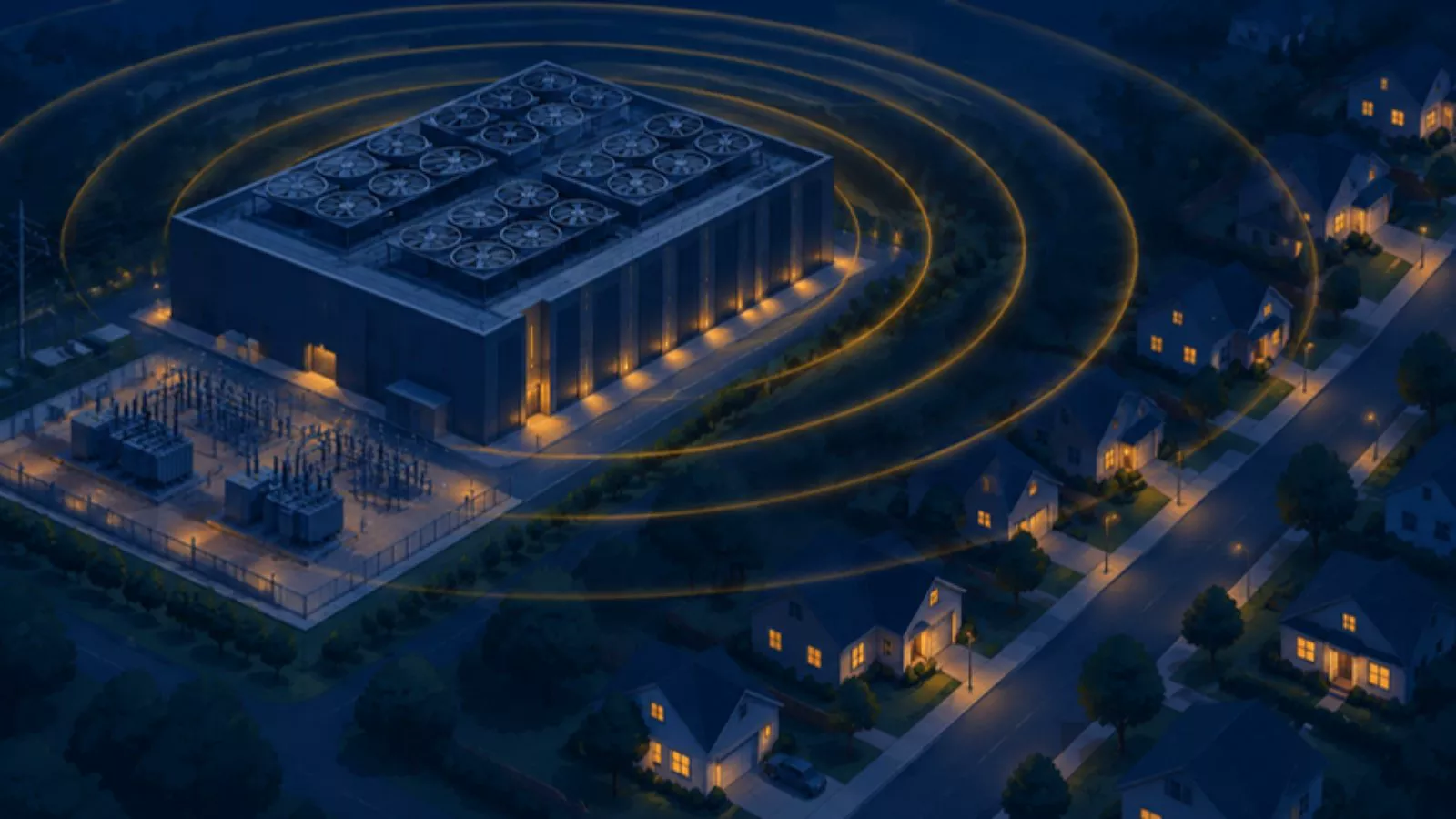
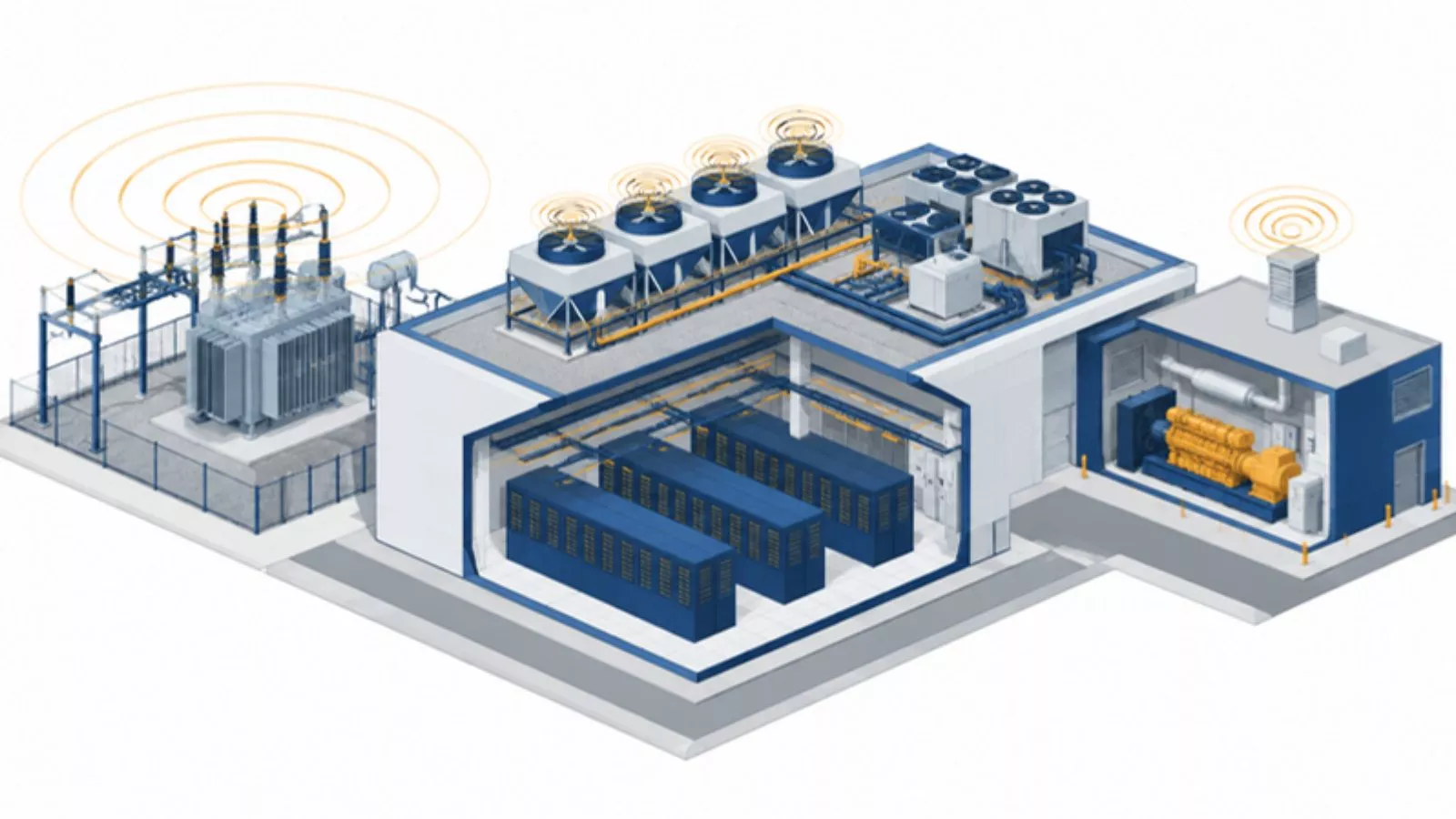
ระบบระบายความร้อนของศูนย์ข้อมูลทำงานเกือบตลอดเวลา ได้แก่ ชิลเลอร์ คูลลิ่งทาวเวอร์ เครื่องส่งลมเย็น (AHU) ปั๊ม หม้อแปลง และเครื่องกำเนิดไฟฟ้าสำรองที่เดินเครื่องเป็นครั้งคราวช่วงทดสอบA data center's cooling runs almost all the time: chillers, cooling towers, air handlers (AHUs), pumps, transformers, and standby generators that run from time to time during tests.
เรื่องร้องเรียนเสียงจากศูนย์ข้อมูลส่วนใหญ่ไม่ได้เกี่ยวกับความดัง แต่เป็นเสียงหึ่งที่ไม่เคยหยุด ในสหรัฐอเมริกาและไอร์แลนด์ เรื่องร้องเรียนลักษณะนี้นำไปสู่การสอบสวนจากหน่วยงานรัฐ และถึงขั้นฟ้องร้องเมื่อไม่นานมานี้Most complaints about data center noise are not about loudness. They are about a hum that never stops. In the US and in Ireland, such complaints have recently led to official investigations and even lawsuits.
- หม้อแปลงหึ่งที่ความถี่สองเท่าของความถี่ไฟฟ้า: 100 Hz ในยุโรป และ 120 Hz ในสหรัฐอเมริกา เพราะแกนเหล็กขยายและหดตัวทุกครึ่งรอบของสนามแม่เหล็กTransformers hum at twice the mains frequency: 100 Hz in Europe and 120 Hz in the US, because their iron cores expand and contract with every half-cycle of the magnetic field.
- พัดลมและชิลเลอร์เพิ่มยอดเสียงโทนที่ความถี่ใบพัด (Blade-pass frequency) โดยทั่วไปอยู่ระหว่าง 250 ถึง 500 HzFans and chillers add tonal peaks at the blade-pass frequency, typically between 250 and 500 Hz.
- ความถี่ต่ำเดินทางได้ไกล: อากาศแทบไม่ดูดซับ และผนังอาคารกั้นได้ไม่ดี เมื่อปิดหน้าต่าง เสียงหึ่งมักเป็นเสียงเดียวที่ยังเหลืออยู่Low frequencies travel far: air barely absorbs them and façades block them poorly. With the windows closed, the hum is often all that is left.
- dB(A) มีจุดบอด: A-weighting ลดย่าน 63 Hz ลงประมาณ 26 dB และย่าน 125 Hz ลงประมาณ 16 dB ระดับเสียงที่ดูผ่านเกณฑ์จึงยังมีเสียงโทนที่ได้ยินชัดอยู่ได้dB(A) has a blind spot: A-weighting lowers the 63 Hz band by about 26 dB and the 125 Hz band by about 16 dB, so a level that looks fine can still contain a clearly audible tone.
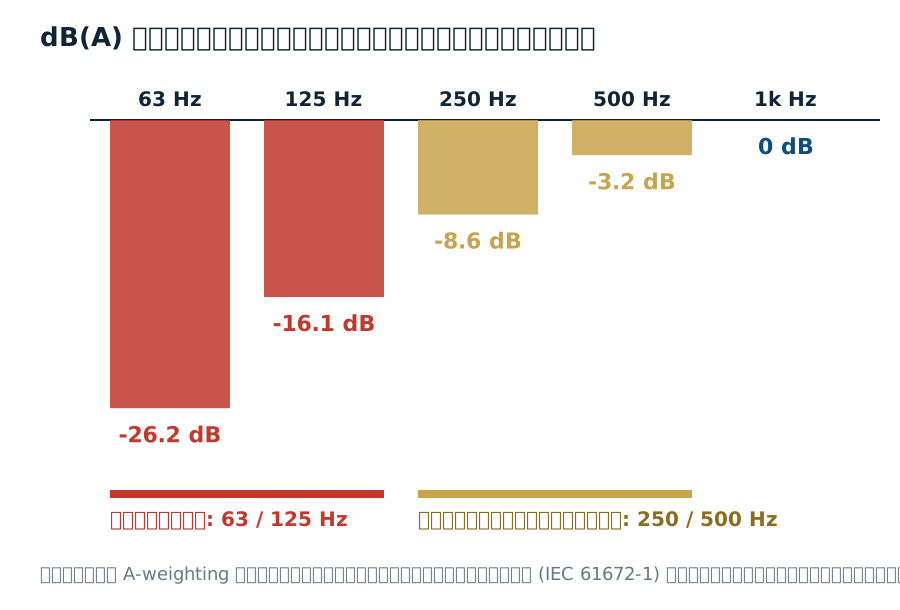
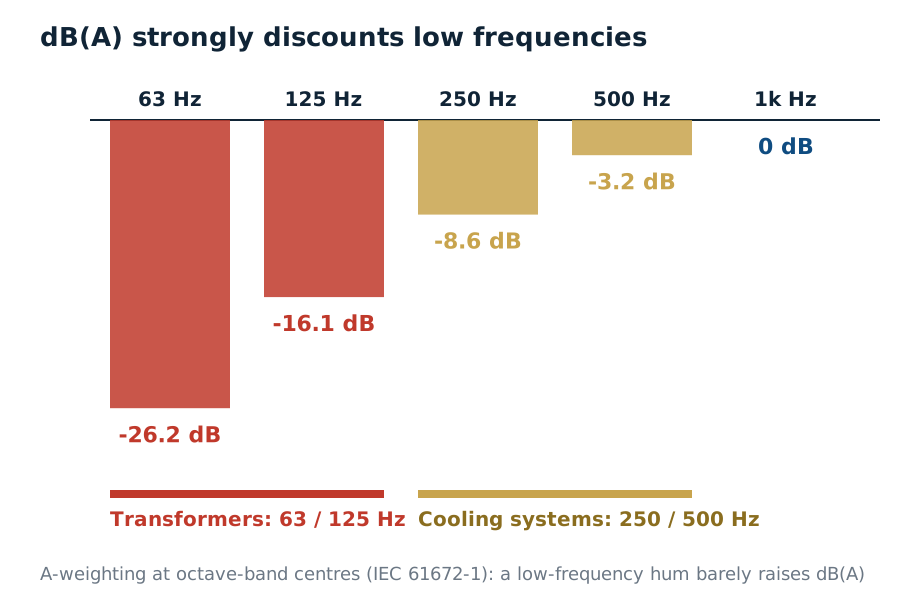
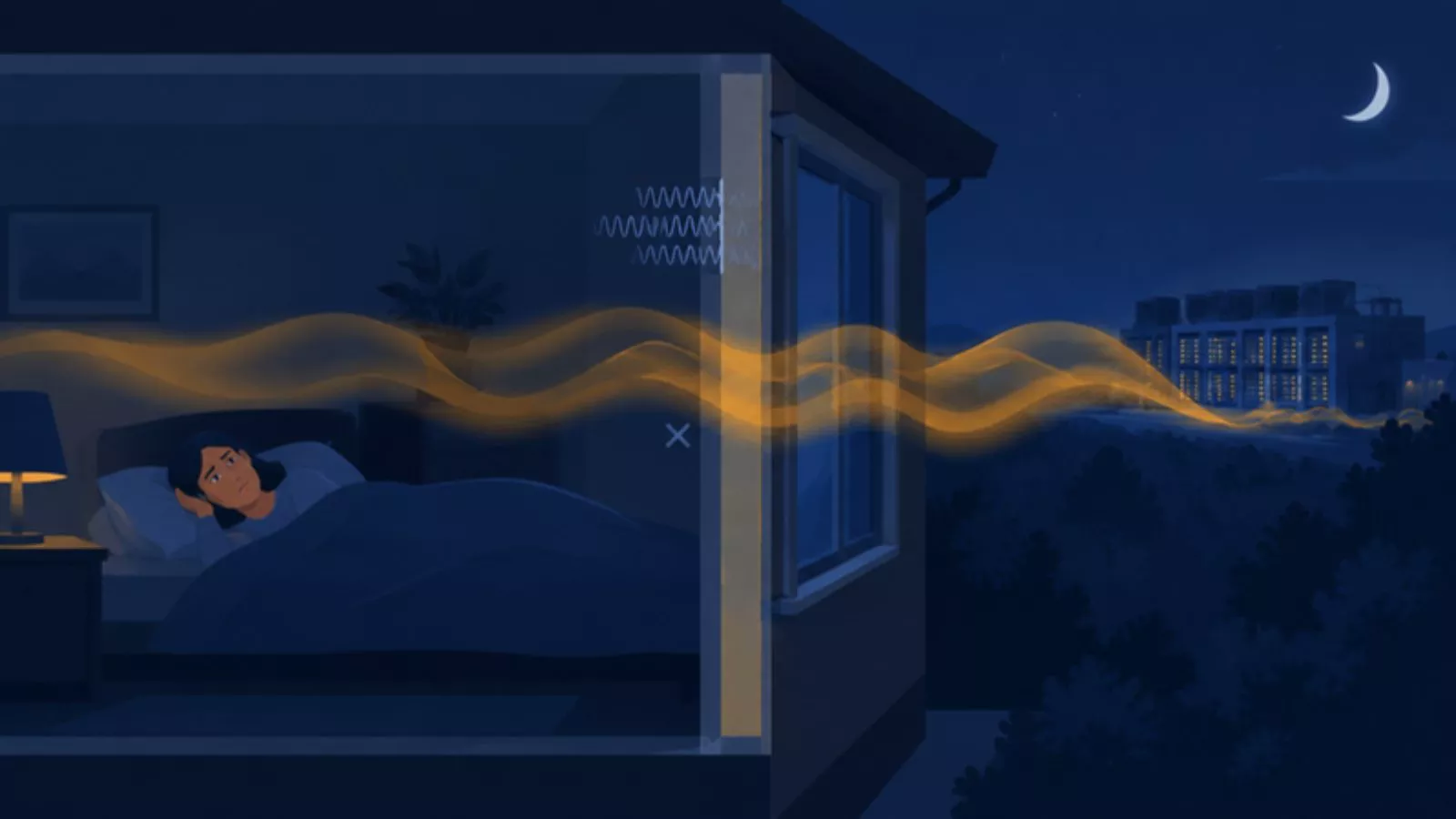
ตอนกลางคืน เสียงพื้นหลังลดลง แต่เสียงหึ่งยังคงเท่าเดิม จึงยิ่งเด่นชัดขึ้น คำร้องเรียนที่พบบ่อยจึงเป็น "ได้ยินเสียงหึ่งตอนกลางคืน" หรือ "ในห้องนอนดังกว่าข้างนอก" แม้ค่า dB(A) จะดูไม่สูงAt night the background noise drops but the hum stays the same, so it stands out even more. Typical complaints are "I hear a hum at night" or "it is louder in the bedroom than outside", even when the dB(A) value looks low.
บ้านรอบศูนย์ข้อมูลมักได้ยินเสียงจากหลายแหล่งพร้อมกัน เช่น ถนน โรงงานข้างเคียง หรือไซต์ก่อสร้าง ไมโครโฟนตัวเดียวบอกได้ว่าดังเท่าไร แต่บอกไม่ได้ว่าเสียงมาจากทางไหน คำถามสำคัญจึงเป็น "ระดับเสียงที่วัดได้ มาจากศูนย์ข้อมูลจริงเท่าไร?"Homes around a data center usually hear several sources at once, such as roads, nearby factories or building sites. One microphone tells you how loud it is, not where the sound comes from. The key question is: "how much of what we measure actually comes from the data center?"
2. เช็กอย่างไรว่าเสียงจากศูนย์ข้อมูลไม่ผิดกฎหมาย2. How to check that the noise is within the law
ตรวจด้วยเกณฑ์ที่กฎหมายไทยกำหนด และวัดด้วยเครื่องมือและวิธีที่ประกาศระบุ เกณฑ์ที่มักใช้กับเสียงจากแหล่งกำเนิดลักษณะนี้คือCheck against the limits set by Thai law, measuring with the instruments and method the notifications specify. The limits usually applied to this kind of source are:
| เกณฑ์Limit | ค่าที่กำหนดValue |
|---|---|
| ระดับเสียงเฉลี่ย 24 ชั่วโมง (Leq 24 ชม.)24-hour average level (Leq 24 h) | ค่าที่กำหนดValueไม่เกิน 70 dBA (ประกาศ กก.วล. ฉบับที่ 15)Not above 70 dBA (NEB notification No. 15) |
| ระดับเสียงสูงสุด (Lmax)Maximum level (Lmax) | ค่าที่กำหนดValueไม่เกิน 115 dBA (ประกาศ กก.วล. ฉบับที่ 15)Not above 115 dBA (NEB notification No. 15) |
| ระดับการรบกวนDisturbance level | ค่าที่กำหนดValueมากกว่า 10 dBA ถือเป็นเสียงรบกวน (ฉบับที่ 29 + วิธีตรวจวัด พ.ศ. 2565) ช่วง 22.00–06.00 น. หรือพื้นที่ที่ต้องการความเงียบสงบใช้เวลาอ้างอิง 5 นาทีและบวก 3 dBA · เสียงกระแทก แหลม หรือสั่นสะเทือนบวก 5 dBAAbove 10 dBA counts as disturbing noise (No. 29 + the B.E. 2565 method). From 22:00 to 06:00, or in quiet areas, the reference time is 5 minutes and 3 dBA is added · impulsive, sharp or vibrating sound adds 5 dBA |
- เครื่องมือที่ต้องใช้: มาตรระดับเสียง IEC 61672 Class 1 และเครื่องสอบเทียบ IEC 60942 Class 1 ตั้งค่า A-weighting และ Fast มาตรระดับเสียงต้องผ่านการสอบเทียบจากห้องปฏิบัติการภายใน 2 ปี เครื่องสอบเทียบภายใน 1 ปี และต้องตรวจด้วยเครื่องสอบเทียบก่อนการวัดทุกครั้งInstruments: an IEC 61672 Class 1 sound level meter and an IEC 60942 Class 1 calibrator, set to A-weighting and Fast. The meter needs laboratory calibration within 2 years and the calibrator within 1 year, with a calibrator check before every measurement.
- ค่าที่ต้องวัด: ระดับเสียงพื้นฐาน LA90 และ LAeq ขณะไม่มีการรบกวน (อย่างน้อย 5 นาที วัดในเวลาเดียวกัน) แล้ววัด LAeq ขณะแหล่งกำเนิดเกิดเสียงตามระยะเวลาที่ประกาศกำหนด จากนั้นคำนวณตามสูตรในประกาศWhat to measure: the background level LA90 and LAeq without the disturbance (at least 5 minutes, measured at the same time), then LAeq while the source is running for the duration the notification sets, and calculate with the formula in the notification.
ทำไม dB(A) อย่างเดียวไม่พอ: เกณฑ์กฎหมายใช้ dB(A) แต่เสียงหึ่งของศูนย์ข้อมูลอยู่ในย่านที่ A-weighting ลดน้ำหนักลงมาก จึงควรบันทึก LCeq คู่กับ LAeq และสเปกตรัม 1/3 ออกเตฟไว้ด้วย เพื่ออธิบายเรื่องร้องเรียนที่ค่า dB(A) ไม่สูง และใช้ออกแบบการแก้ไข · กฎหมายที่ใช้จริงขึ้นกับประเภทของสถานประกอบการ ข้อมูลนี้เพื่อความรู้ ไม่ใช่คำปรึกษาทางกฎหมายWhy dB(A) alone is not enough: the legal limits use dB(A), but a data center's hum sits where A-weighting discounts most. Log LCeq with LAeq and 1/3-octave spectra too, to explain complaints when the dB(A) value is low and to design the fix · Which law applies depends on the type of facility; this is general information, not legal advice.
3. ต้องวัดเสียงตรงไหน เพื่อเช็กว่าไม่กระทบชุมชนโดยรอบ3. Where to measure to check the effect on the community
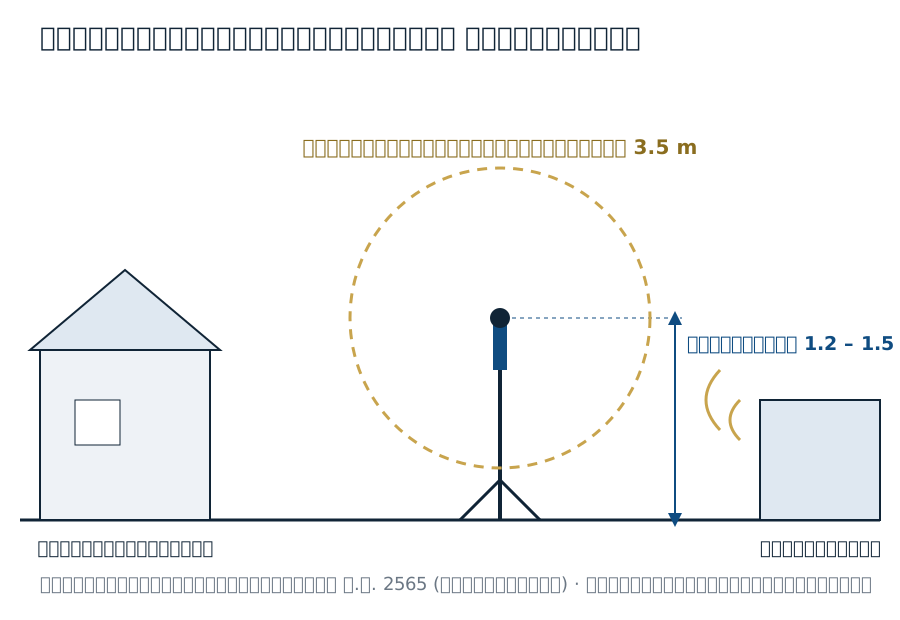
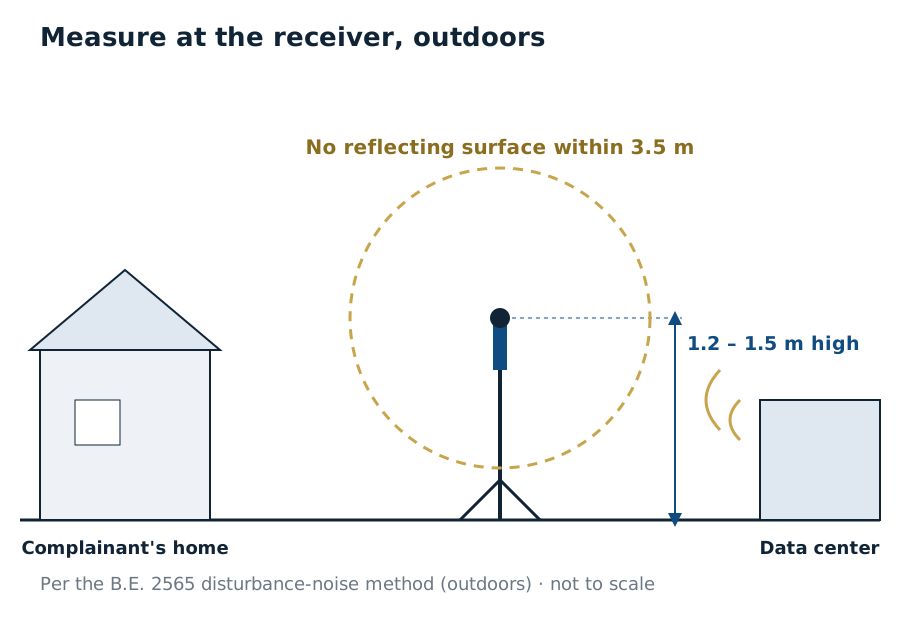
- ที่ผู้รับเสียง ไม่ใช่ข้างเครื่อง: ตั้งไมโครโฟนตรงบริเวณที่ประชาชนร้องเรียน หรือคาดว่าจะได้รับการรบกวน ภายนอกอาคาร ประกาศกำหนดให้ "ตั้งสูงจากพื้นไม่น้อยกว่า 1.2 – 1.5 เมตร" และไม่มีสิ่งสะท้อนเสียงในรัศมี 3.5 เมตรAt the receiver, not next to the plant: place the microphone where people complain or are expected to be disturbed, outdoors. The notification sets it "at least 1.2 – 1.5 m above the ground" with no reflecting surface within 3.5 m.
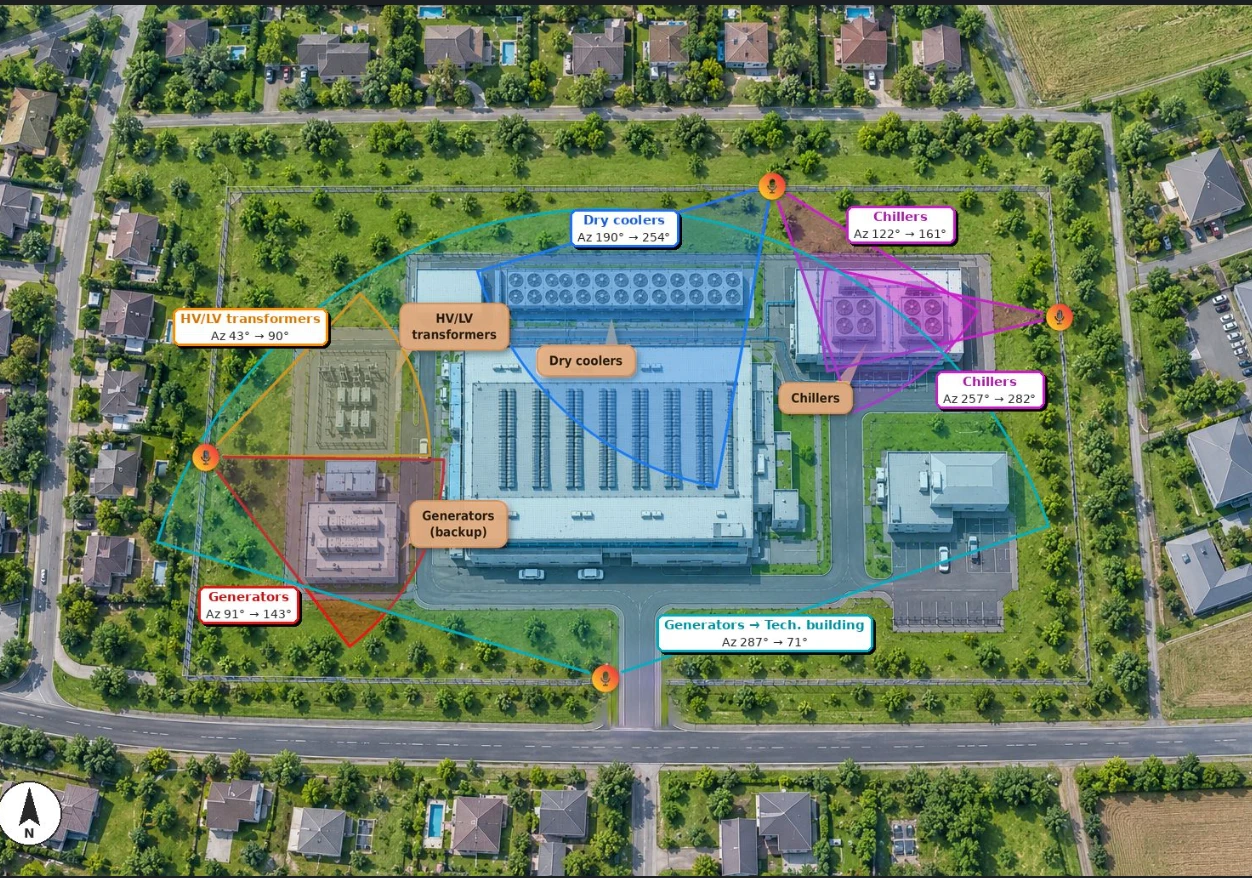
- บ้านที่ใกล้ที่สุดในแต่ละทิศ: เลือกจุดตัวแทนของชุมชนในทิศที่หันหน้าเข้าหาแหล่งเสียงหลักของศูนย์ข้อมูล (ลานชิลเลอร์ แผงระบายความร้อน หม้อแปลง เครื่องกำเนิดไฟฟ้า)The nearest homes in each direction: choose representative points of the community facing the data center's main sources (chiller yard, cooler arrays, transformers, generators).
- แนวรั้วของศูนย์ข้อมูล (สำหรับเฝ้าระวัง): สถานีที่แนวรั้วระหว่างแหล่งเสียงกับชุมชน ช่วยจับการเปลี่ยนแปลงได้เร็ว และแยกเสียงของศูนย์ข้อมูลจากเสียงชุมชนได้ง่ายกว่า แต่ผลที่ใช้เทียบเกณฑ์กฎหมายยังต้องวัดที่จุดผู้รับเสียงตามประกาศThe site fence (for monitoring): stations on the fence between the sources and the community pick up changes quickly and separate the data center from community noise more easily, but results compared with the legal limits must still come from the receiver points the notification sets.
- วัดทั้งกลางวันและกลางคืน: กลางคืนเสียงพื้นหลังต่ำ เกณฑ์เข้มกว่า และเสียงหึ่งเด่นกว่าDay and night: at night the background is lower, the limit stricter and the hum more noticeable.
- จดสถานะการเดินเครื่องทุกครั้ง: จำนวนชิลเลอร์ที่เดิน ภาระของระบบ และช่วงทดสอบเครื่องกำเนิดไฟฟ้า เพื่อเชื่อมระดับเสียงที่วัดได้กับการทำงานของศูนย์ข้อมูลLog the plant status every time: how many chillers run, the load and generator tests, to link the measured levels to what the data center is doing.
4. มาตรการเฝ้าระวังเสียงรบกวนที่มีประสิทธิภาพ ต้องทำอย่างไร4. What effective noise monitoring takes
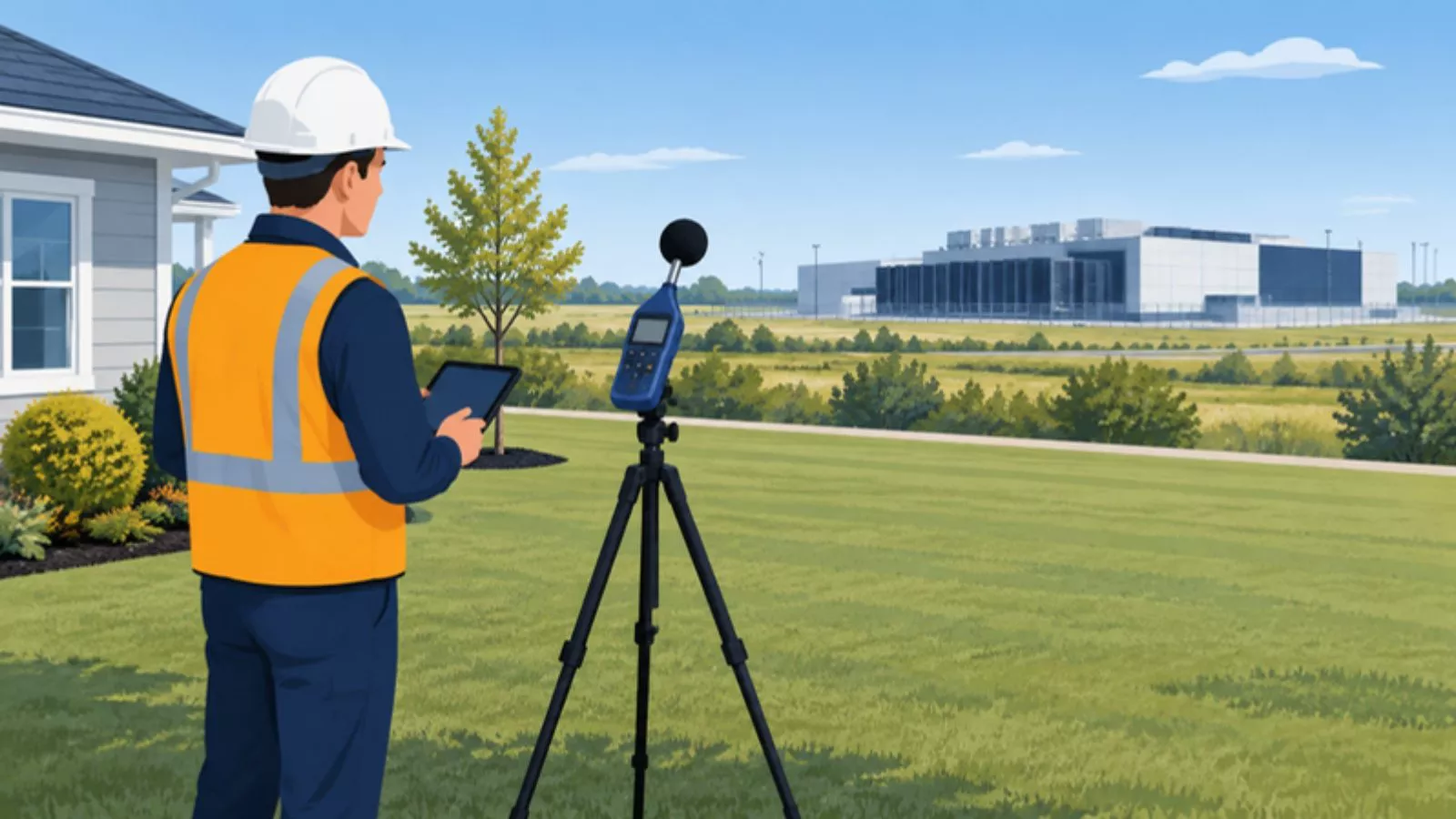
- วัดเสียงพื้นหลังไว้เป็นข้อมูลอ้างอิง: บันทึกระดับเสียงที่จุดผู้รับเสียงทั้งกลางวันและกลางคืน ถ้าทำได้ให้วัดก่อนศูนย์ข้อมูลเปิดหรือก่อนขยายระบบ ถ้าหยุดเครื่องไม่ได้ ให้วัดช่วงภาระต่ำสุด สลับเครื่องสำรองทีละเครื่อง หรือหาช่วงพื้นหลังต่ำจากการบันทึกระยะยาว และระบุข้อจำกัดในรายงานRecord a baseline: log levels at the receiver points by day and night, before the data center opens or expands if possible. If the plant cannot be stopped, measure at the lowest load, switch redundant units one at a time, or find low-background periods in long-term logs, and state the limitation in the report.
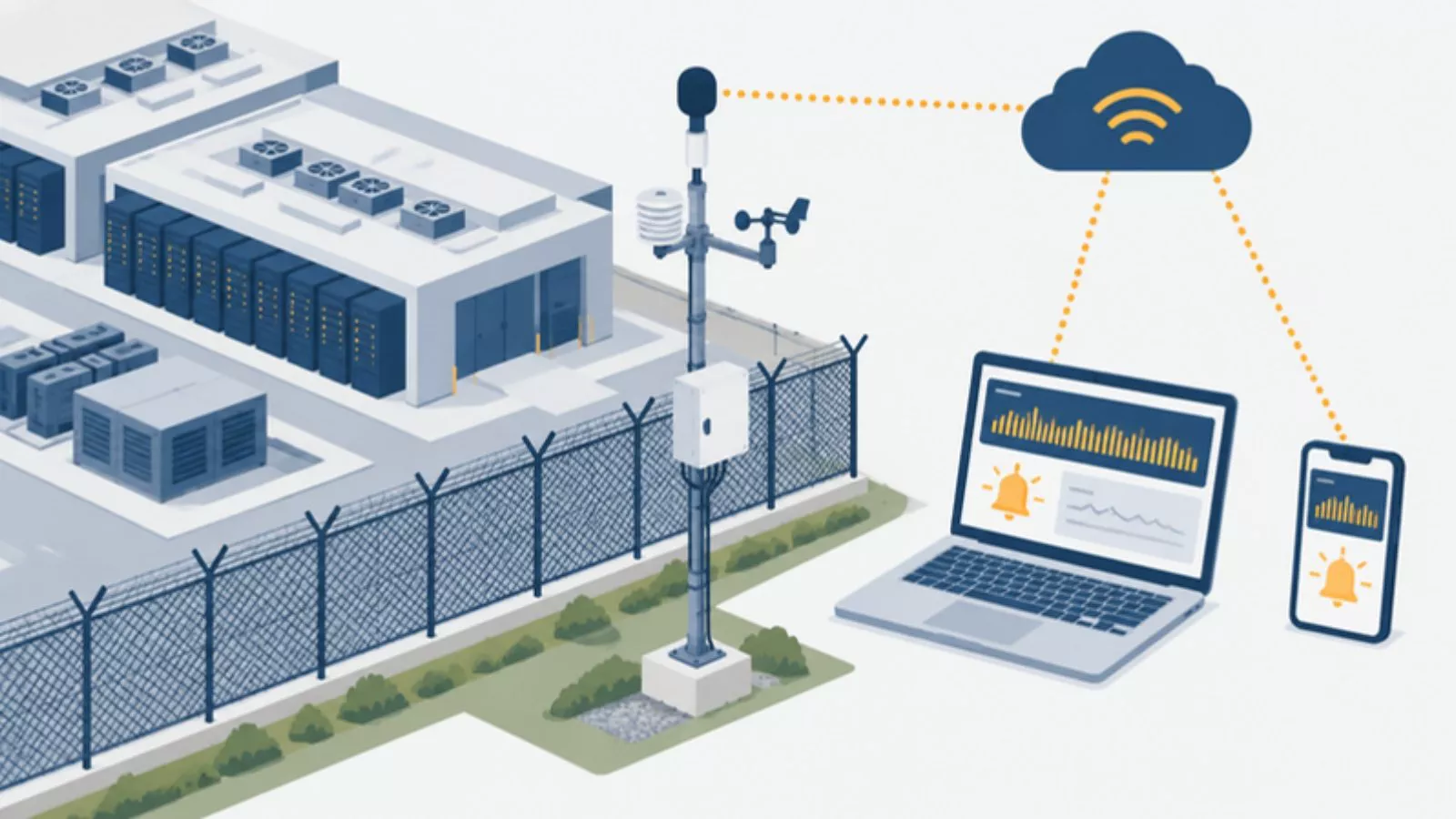
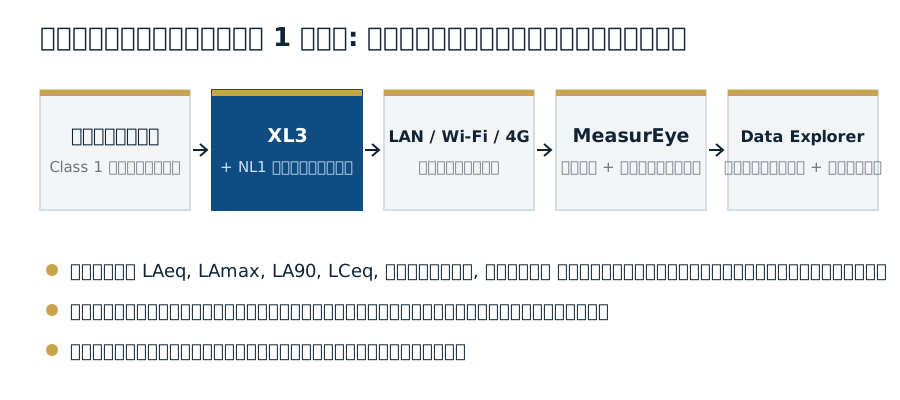
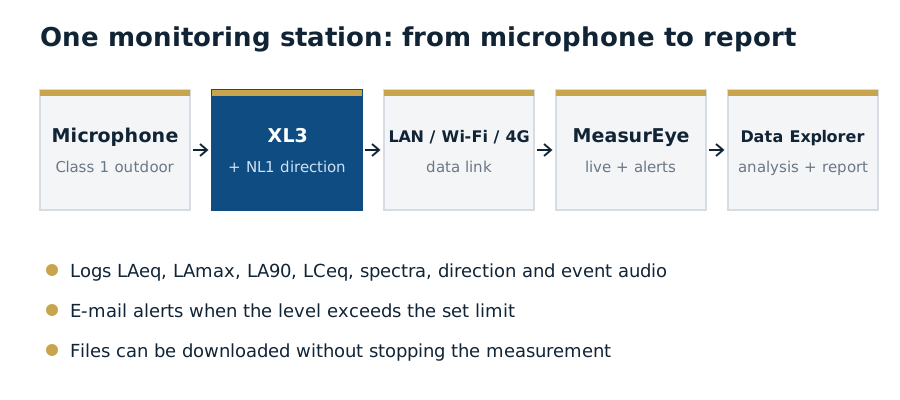
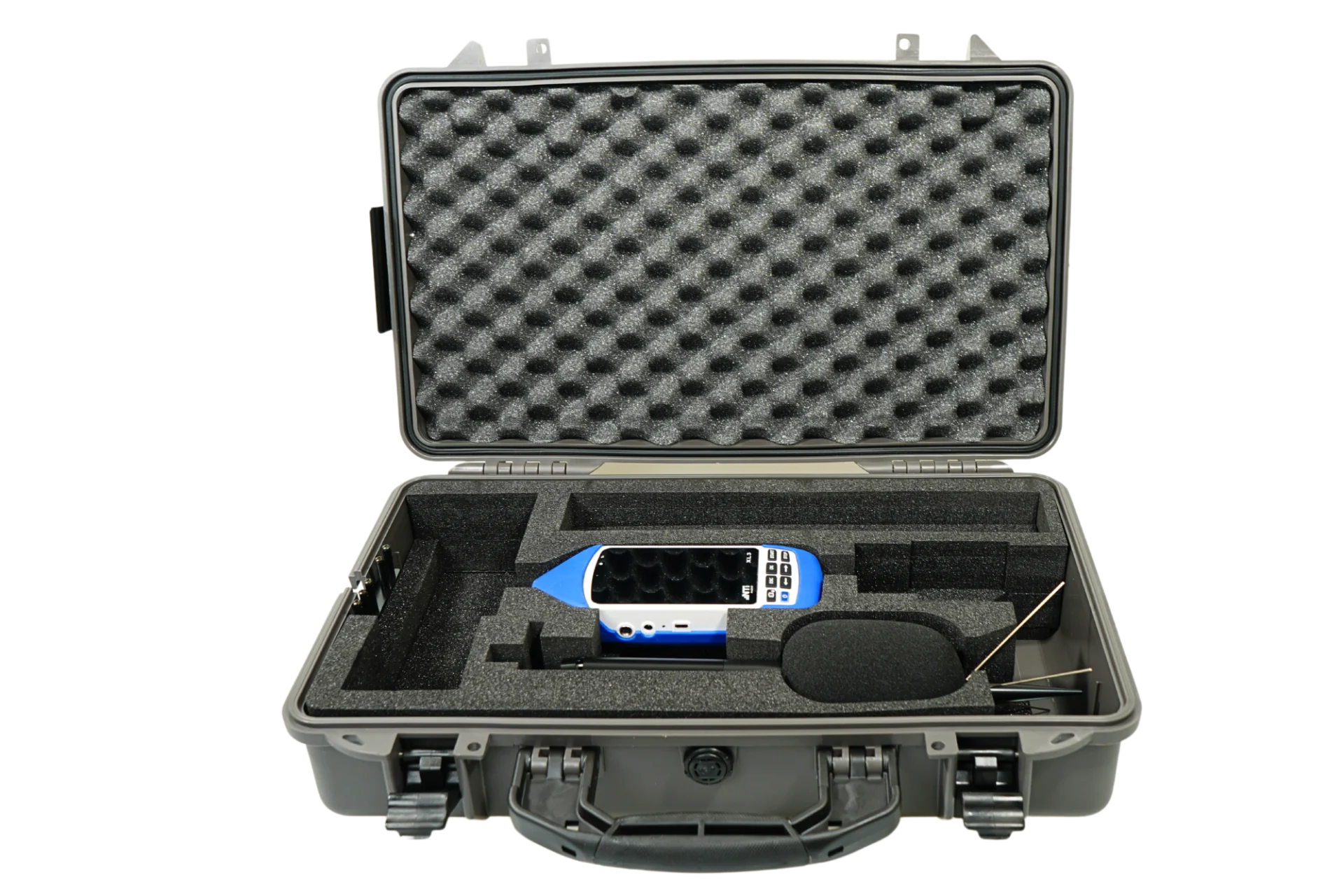
- ติดตั้งสถานีวัดถาวร: XL3 + ไมโครโฟนกลางแจ้ง Class 1 + NL1 ในกล่องกันสภาพอากาศ ไฟเลี้ยงต่อเนื่อง (XL3 วัดต่อเองเมื่อไฟกลับมา) ห่างผิวสะท้อนตามที่ NTi Audio แนะนำ (อย่างน้อย 5 m) และต่อสถานีตรวจอากาศเข้ากับ XL3 ได้โดยตรงInstall permanent stations: XL3 + Class 1 outdoor microphone + NL1 in a weatherproof case with continuous power (the XL3 resumes by itself when power returns), at least 5 m from reflecting surfaces as NTi Audio recommends; a weather station can be connected straight to the XL3.
- บันทึกค่าที่ใช้ได้ทั้งตามกฎหมายและหาสาเหตุ: LAeq, ค่าสูงสุด, LA90, LCeq, สเปกตรัม 1/1 และ 1/3 ออกเตฟ ทิศทางเสียงจาก NL1 และไฟล์เสียงเมื่อเกิดเหตุการณ์ (บันทึกเสียงเมื่อเกิดเหตุการณ์ใช้ XL3 Extended Noise Measurement Option)Log values for both the law and the cause: LAeq, maximum, LA90, LCeq, 1/1 and 1/3-octave spectra, direction from the NL1 and event audio (event-triggered audio needs the XL3 Extended Noise Measurement Option).
- เฝ้าระวังออนไลน์และแจ้งเตือน: ส่งข้อมูลขึ้น MeasurEye ผ่าน LAN, Wi-Fi หรือ 4G ดูระดับเสียงแบบเรียลไทม์ ตั้งค่าจำกัดให้ระบบแจ้งเตือนทางอีเมลเมื่อเกินค่า และควบคุม XL3 หรือดาวน์โหลดไฟล์ได้โดยไม่ต้องหยุดการวัดMonitor online with alerts: send data to MeasurEye over LAN, Wi-Fi or 4G, watch levels live, set limits for e-mail alerts, and control the XL3 or download files without stopping the measurement.
- ตรวจสอบเมื่อเกิดเหตุ และรายงานสม่ำเสมอ: เมื่อมีการแจ้งเตือนหรือเรื่องร้องเรียน ฟังไฟล์เสียงและดูทิศทาง เทียบกับบันทึกการเดินเครื่อง สรุปผลเป็นรายงานรายเดือน และตรวจระดับด้วยเครื่องสอบเทียบตามกำหนดCheck events and report regularly: after an alert or complaint, listen to the audio and check the direction against the plant log; summarise monthly and check the level with the calibrator on schedule.
5. ตำแหน่งไหนในศูนย์ข้อมูลที่สร้างเสียงรบกวนบ่อยที่สุด: ใช้ XL3 ร่วมกับ NL15. Which part of the data center causes noise most often: the XL3 with the NL1
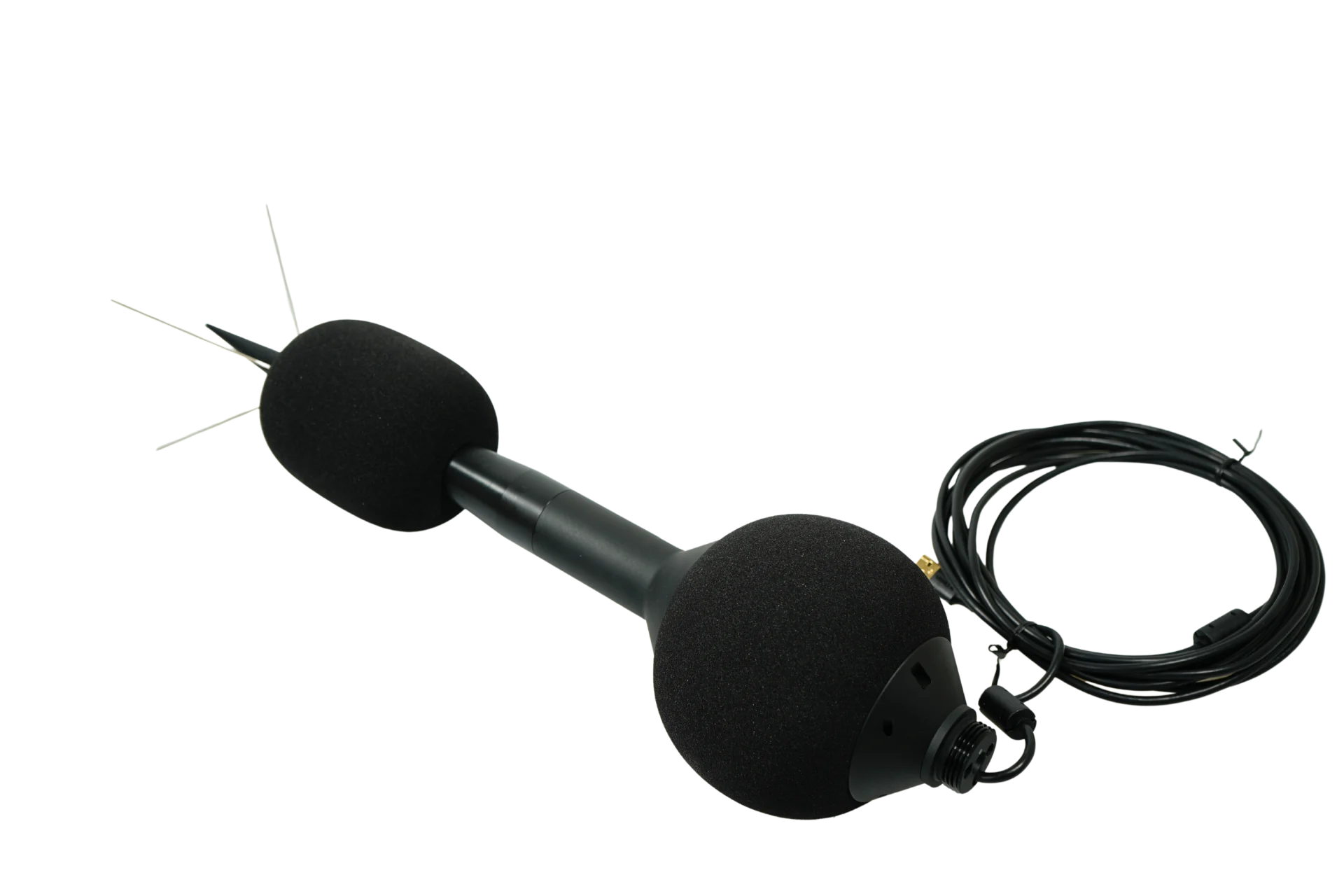
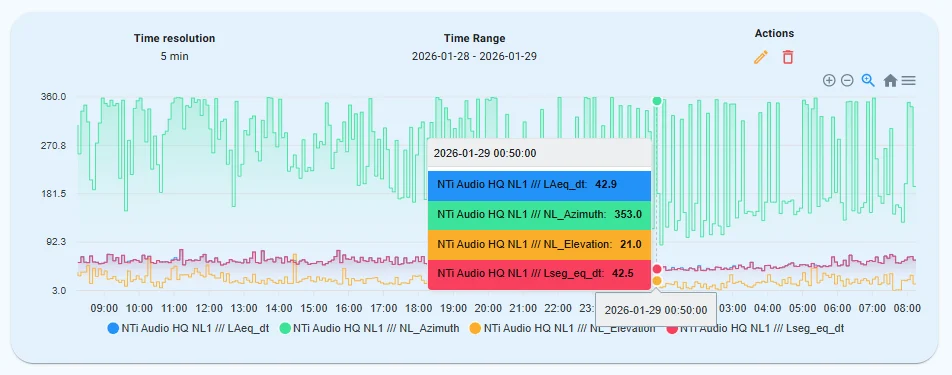
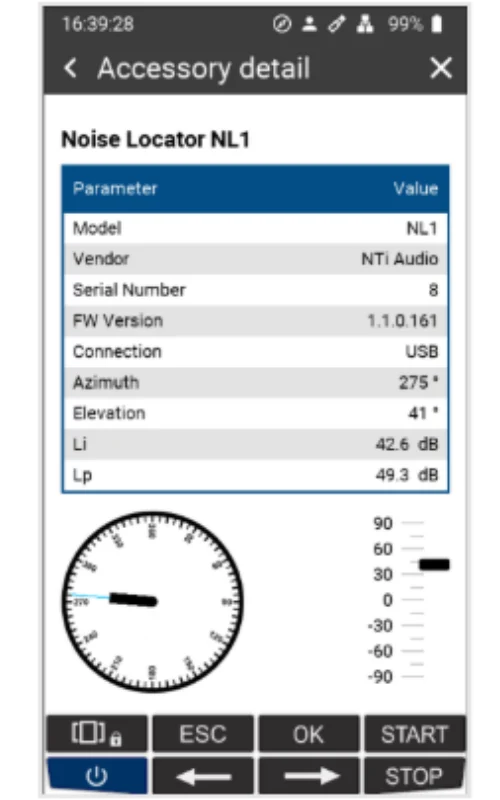
เมื่อใช้ร่วมกับ XL3 เซนเซอร์ NL1 หาทิศทางของเสียงที่เข้ามา ทั้ง Azimuth (อ้างอิงทิศเหนือ) และ Elevation (อ้างอิงแนวราบ) แยกตามย่านออกเตฟ ตั้งแต่ 63 Hz ขึ้นไป NL1 บันทึกทิศทางซิงก์กับระดับเสียงทุก 100 ms หรือ 1 sCombined with the XL3, the NL1 finds the direction of incoming sound, both azimuth (referenced to north) and elevation (referenced to horizontal), separately for each octave band from 63 Hz upward. It logs direction in sync with the level every 100 ms or 1 s.
| แหล่งเสียงSource | ย่านความถี่เด่นDominant bands |
|---|---|
| หม้อแปลงTransformers | ย่านความถี่เด่นDominant bandsเสียงหึ่งความถี่ต่ำ ที่ 63 และ 125 HzLow-frequency hum at 63 and 125 Hz |
| ระบบระบายความร้อนCooling systems | ย่านความถี่เด่นDominant bandsเด่นที่ 250 และ 500 HzDominate at 250 and 500 Hz |
- กำหนดช่วงทิศทางของแหล่งเสียงแต่ละกลุ่ม จากแผนผังพื้นที่ ตามตำแหน่งสถานี เช่น ลานชิลเลอร์ แผงระบายความร้อน หม้อแปลง และเครื่องกำเนิดไฟฟ้า (ดูภาพตัวอย่างในหัวข้อ 3) ตั้งทิศของ NL1 ให้ถูกและบันทึกไว้ตอนติดตั้งSet the direction range of each source group from the site plan and each station's position, such as the chiller yard, cooler arrays, transformers and generators (see the example in section 3). Align the NL1 correctly and record its orientation when installing.
- รวมความถี่เข้ากับทิศทาง (Spatial filtering): NL1 กรองส่วนของเสียงที่มาจากศูนย์ข้อมูลออกจากเสียงรอบข้างได้ ไม่ว่าพื้นที่รอบ ๆ จะเป็นย่านที่อยู่อาศัยหรือย่านอุตสาหกรรมCombine frequency with direction (spatial filtering): the NL1 can filter the data center's contribution from the surrounding soundscape, whether residential or industrial.
- สะสมระดับเสียงตามช่วงทิศทาง ใน MeasurEye และสร้าง Marker อัตโนมัติตามช่วงทิศทางใน Data Explorer ระดับเสียงที่วัดได้จึงกำหนดให้กับแหล่งเสียงหรือกลุ่มแหล่งเสียงที่เกี่ยวข้องได้ ตามทิศทางที่เสียงเข้ามาAccumulate levels by direction range in MeasurEye and create automatic markers by direction range in Data Explorer, so measured levels can be assigned to the relevant source or source group by where the sound comes from.
- นับว่าแต่ละกลุ่มเป็นต้นเหตุของช่วงที่เกินค่าบ่อยแค่ไหน: เทียบจำนวนครั้งและระยะเวลาที่ระดับเสียงเกินค่าจำกัดในแต่ละช่วงทิศทาง แล้วฟังไฟล์เสียงยืนยัน กลุ่มที่ครองสัดส่วนมากที่สุดคือเป้าหมายแรกของการแก้ไขCount how often each group causes the exceedances: compare the number and duration of exceedances in each direction range and confirm by listening. The group with the largest share is the first target for mitigation.
- ใช้เฉพาะผลที่เชื่อถือได้: ทุกผลการวัดของ NL1 มีค่า ΔPI ที่บอกว่าเสียงสะท้อนมีผลมากเพียงใด ใช้เฉพาะผลที่ผ่านเกณฑ์ในการวิเคราะห์ทิศทางUse only reliable results: every NL1 result carries a ΔPI value showing how much reflections affect it; use only results that pass the criterion for direction analysis.
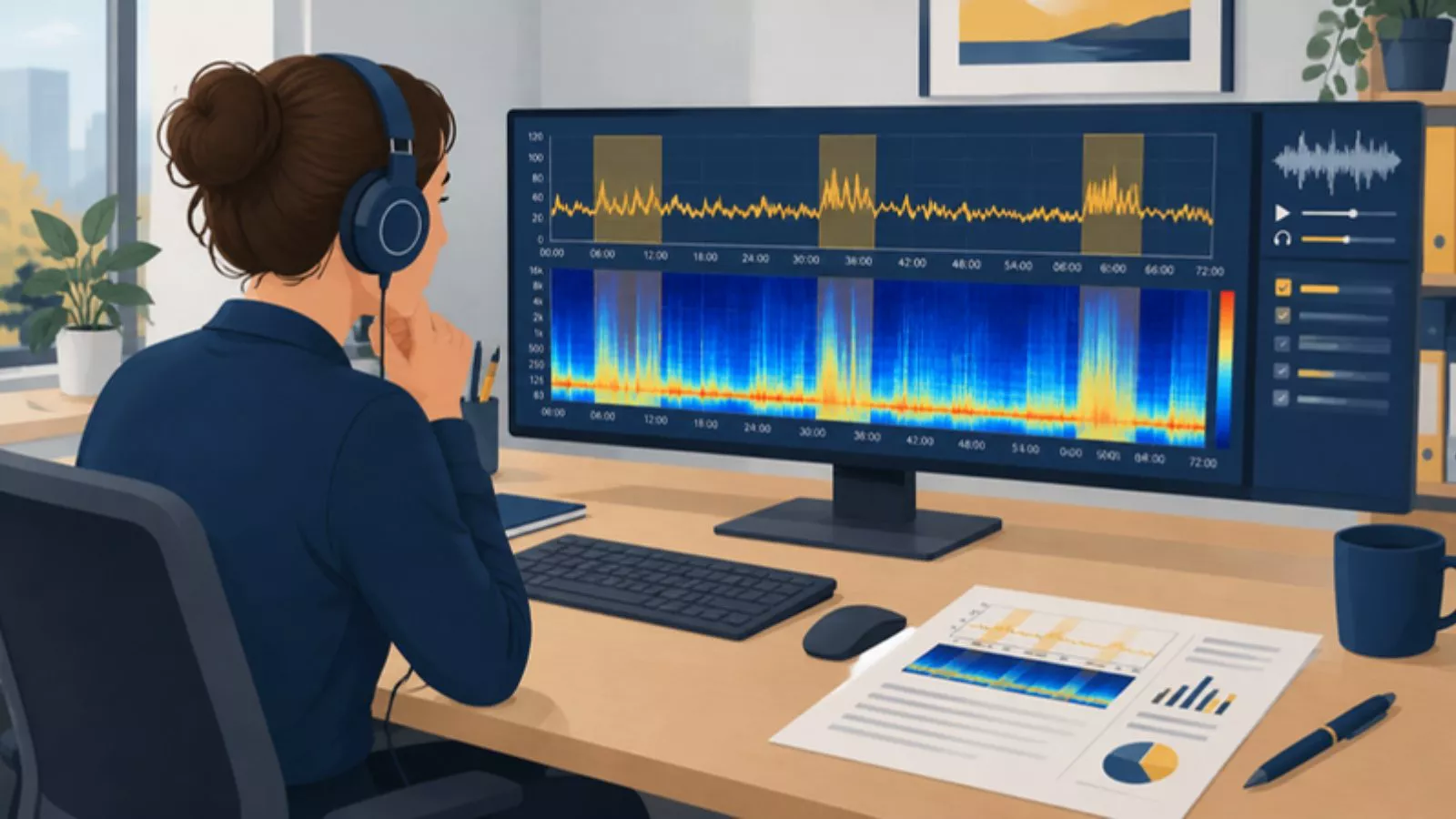
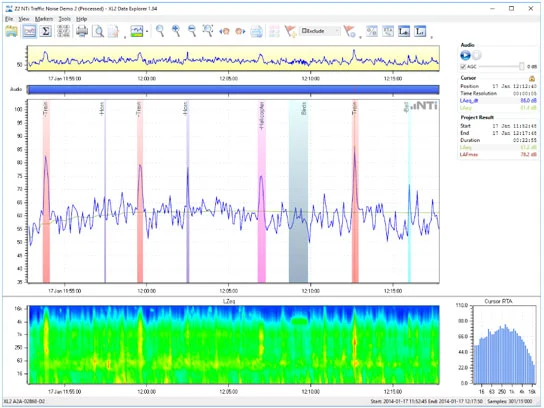
ผลลัพธ์: วิเคราะห์ได้เร็วขึ้น ระบุแหล่งกำเนิดได้น่าเชื่อถือขึ้น และเห็นภาพชัดว่าศูนย์ข้อมูลมีส่วนในระดับเสียงที่วัดได้จริงเท่าไร สำหรับการเฝ้าระวังระยะยาว วิธีนี้ลดงานประมวลผลข้อมูลด้วยมือลงได้มากThe result: faster analysis, more reliable source attribution and a clear picture of the data center's actual contribution. For long-term monitoring this greatly reduces manual post-processing.
ข้อจำกัดของ NL1: บอกทิศทางของเสียงหลักที่มาถึงจุดติดตั้ง ไม่บอกระยะทาง ไม่สร้างภาพแผนที่เสียงแบบ Acoustic camera และไม่วัด Sound power ถ้าแหล่งเสียงสองกลุ่มอยู่ในทิศเดียวกัน หรือต้องการหาจุดดังบนตัวเครื่อง ต้องวัดใกล้แหล่งกำเนิดเพิ่ม หรือใช้บริการหาตำแหน่งแหล่งกำเนิดเสียง · ในลานแคบที่มีผิวสะท้อนมาก ผลทิศทางเชื่อถือได้น้อยลง · NTi Audio ไม่ได้เผยแพร่เงื่อนไขเฟิร์มแวร์หรือ Option ของ XL3 สำหรับ NL1 เราตรวจกับ NTi Audio ก่อนเสนอราคาทุกครั้งLimits of the NL1: it gives the direction of the dominant sound at the station, not the distance; it does not make an acoustic-camera map and does not measure sound power. If two source groups lie in the same direction, or you need the loud spot on a machine, measure close to the source or use a sound source localisation service · In narrow yards with many reflecting surfaces the direction results are less reliable · NTi Audio does not publish XL3 firmware or option conditions for the NL1; we confirm them with NTi Audio before every quotation.
คำถามที่พบบ่อยFrequently asked questions
ระดับเสียงผ่านเกณฑ์ dB(A) แล้ว ทำไมยังมีคนร้องเรียน?The dB(A) level is within the limit, so why are there still complaints?
เพราะเสียงหึ่งของหม้อแปลงอยู่ที่ย่าน 63 และ 125 Hz ซึ่ง A-weighting ลดน้ำหนักลงประมาณ 26 และ 16 dB และความถี่ต่ำผ่านผนังได้ดี ตอนกลางคืนเสียงพื้นหลังลดลง เสียงหึ่งจึงเด่นขึ้น ควรบันทึก LCeq และสเปกตรัมเพื่ออธิบายสาเหตุBecause a transformer hum sits in the 63 and 125 Hz bands, which A-weighting lowers by about 26 and 16 dB, and low frequencies pass walls easily. At night the background drops and the hum stands out. Log LCeq and spectra to explain the cause.
ต้องวัดที่รั้วศูนย์ข้อมูลหรือที่บ้านผู้ร้องเรียน?Should we measure at the fence or at the complainant's home?
ผลที่ใช้เทียบเกณฑ์กฎหมายต้องวัดที่จุดผู้รับเสียงตามวิธีในประกาศ สถานีที่รั้วเหมาะกับการเฝ้าระวังต่อเนื่องและการแยกแหล่งเสียงResults compared with the legal limits must be measured at the receiver by the method in the notification. Fence stations suit continuous monitoring and separating sources.
NL1 ใช้กับ XL2 ได้ไหม?Does the NL1 work with the XL2?
NL1 เป็นเซนเซอร์เสริมของ XL3 ต่อกับ XL3 ด้วยสาย USB เส้นเดียวThe NL1 is an XL3 accessory sensor; it connects to the XL3 with one USB cable.