โจทย์ของงานThe measurement problem
สินค้าที่มีชิ้นส่วนหมุนหรือเคลื่อนที่อาจผ่านการทดสอบทางไฟฟ้าและการตรวจด้วยตา แต่มีข้อบกพร่องที่แสดงออกเป็นเสียงหรือความสั่นสะเทือนผิดปกติ โรงงานต้องการวิธีตรวจที่เร็ว ให้ผลเหมือนกันทุกครั้ง และไม่ขึ้นกับการฟังของพนักงานA product with rotating or moving parts can pass electrical tests and visual inspection yet carry a defect that shows as abnormal noise or vibration. The plant needs a check that is fast, repeatable and independent of an operator's hearing.
เลือกวัดเสียงหรือความสั่นสะเทือนNoise or vibration?
| วิธีMethod | เซนเซอร์Sensor | เหมาะเมื่อSuits |
|---|---|---|
| วัดเสียงNoise | เซนเซอร์SensorไมโครโฟนวัดเสียงMeasurement microphone | เหมาะเมื่อSuitsข้อบกพร่องแสดงออกเป็นเสียง และจุดทดสอบเงียบพอThe defect shows as sound and the test point is quiet enough |
| วัดความสั่นสะเทือนVibration | เซนเซอร์SensorAccelerometer ติดบนตัวสินค้าAccelerometer mounted on the product | เหมาะเมื่อSuitsเสียงรอบข้างในโรงงานดัง หรือข้อบกพร่องอยู่ที่ชิ้นส่วนกลไกภายในThe factory background is loud, or the defect lies in an internal mechanical part |
| ทั้งสองอย่างBoth | เซนเซอร์Sensorไมโครโฟนและ AccelerometerMicrophone and accelerometer | เหมาะเมื่อSuitsต้องการการตรวจที่ครอบคลุมขึ้นA more robust verification is wanted |
การวัดความสั่นสะเทือนที่ตัวสินค้าได้รับผลจากเสียงรอบข้างน้อยกว่าการวัดด้วยไมโครโฟน จึงเป็นทางเลือกที่ดีเมื่อไม่สามารถทำจุดทดสอบให้เงียบได้A vibration measurement on the product is far less affected by ambient noise than a microphone measurement, which makes it a good choice when the test point cannot be made quiet.
หลักการ: ค่าอ้างอิงและแถบค่าที่ยอมรับได้The principle: reference and tolerance bands
XL2 คำนวณแถบค่าที่ยอมรับได้จากแหล่งข้อมูลสี่แบบ:The XL2 calculates tolerance bands from four kinds of source:
- ผลการวัดที่จับไว้ครั้งเดียวA single captured result
- ไฟล์ข้อความ (txt) ที่สร้างเองบนคอมพิวเตอร์A txt file created manually on a PC
- ค่าเฉลี่ยของการวัดหลายครั้งThe mean of several captures
- เส้นค่าต่ำสุดและสูงสุดของการวัดหลายครั้งThe min / max curves of several captures
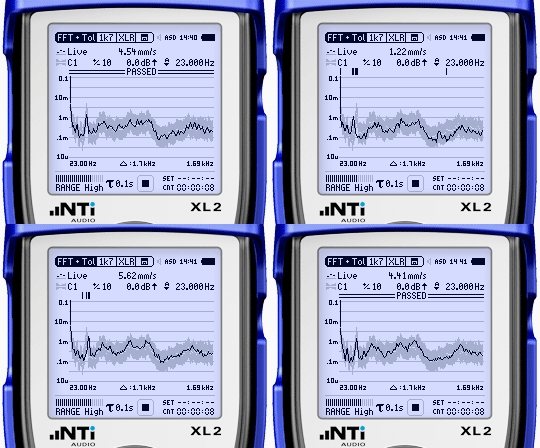
การวิเคราะห์ความถี่มีสองแบบ: Zoom FFT ความละเอียดสูง และสเปกตรัมแบบย่านสัดส่วนคงที่ (CPB) ความละเอียดถึง 1/12 ออกเตฟ จอแสดงผลเป็นค่าสัมบูรณ์ หรือเป็นค่าเทียบกับเส้นที่เก็บไว้ก่อนหน้าได้Two kinds of frequency analysis are available: high-resolution zoom FFT and a constant percentage bandwidth (CPB) spectrum with resolution up to 1/12 octave. Traces are shown as absolute values or relative to previously stored traces.
ขั้นตอนการทำงานTypical workflow
- สร้างค่าอ้างอิง: วัดสเปกตรัมของสินค้าที่ดี หรือสร้างเส้นค่าที่ยอมรับได้จากไฟล์ข้อความCreate the reference: capture a good product's spectrum, or build the tolerance curves from txt files.
- เริ่มการวัด: เริ่มเองด้วยระดับสัญญาณ (Level trigger) ด้วยสวิตช์เท้าภายนอก หรือด้วยปุ่มบนเครื่องStart the measurement: automatically by level trigger, by an external foot switch, or with the instrument's start button.
- วัด: XL2 จับสเปกตรัมของสินค้าที่ทดสอบMeasure: the XL2 captures the spectrum of the unit under test.
- เทียบ: ผลถูกตรวจกับแถบค่าที่ยอมรับได้Compare: the result is checked against the tolerance bands.
- แสดงผล: บนจอ ด้วยไฟ LED สามสีบนเครื่อง หรือ Stack Light ภายนอก ย่านความถี่ที่ไม่ผ่านแสดงแยกทีละย่าน และผลถูกบันทึกเป็นไฟล์ข้อความReport: on the screen, by the instrument's tri-colour LED or an external Stack Light; failed frequencies are shown band by band, and results are logged as text files.
การเชื่อมต่อกับสายการผลิตIntegration with the line
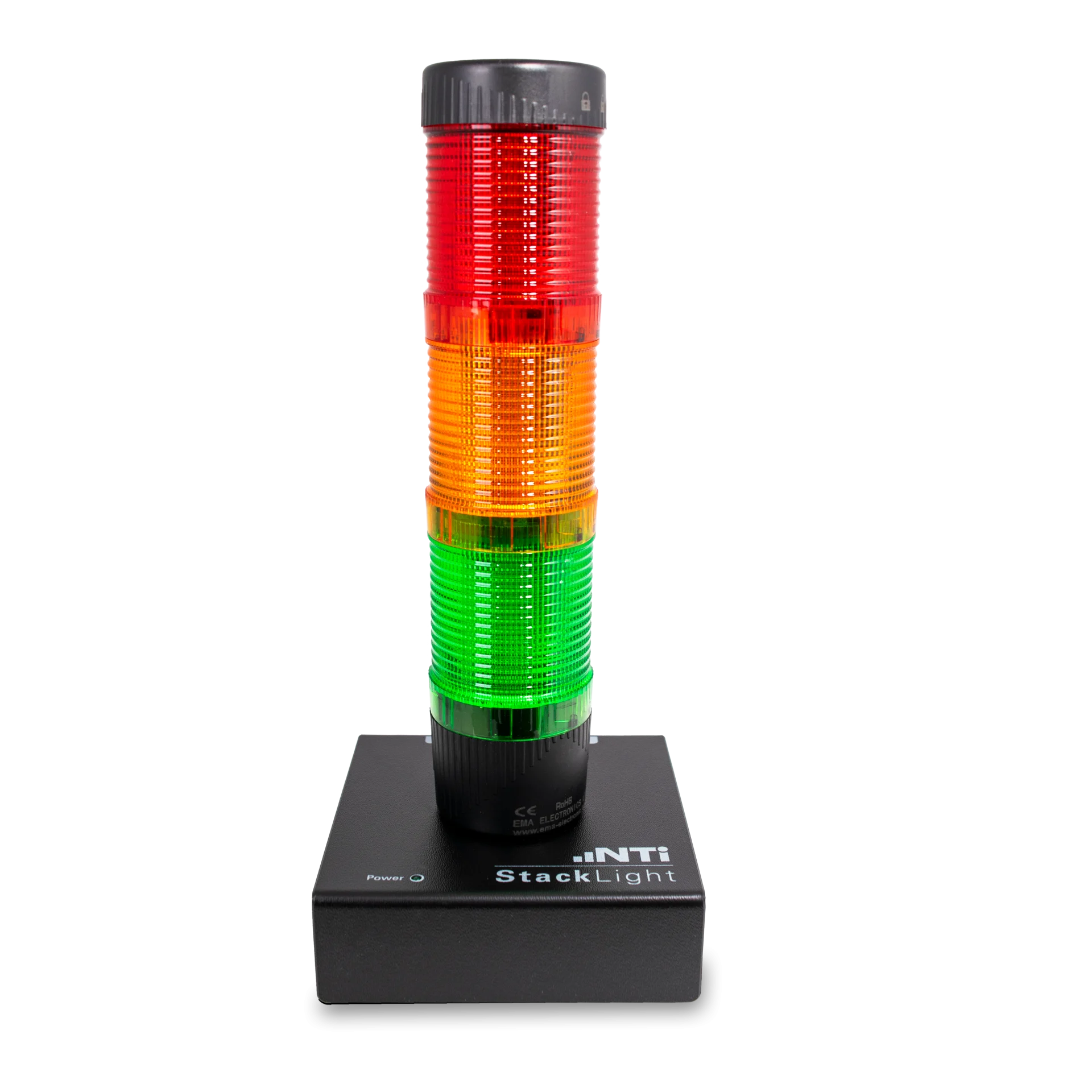
- Stack Light: แสดงผลเป็นสีเขียว ส้ม แดง ต่อกับ XL2 โดยตรง พนักงานเห็นผลได้จากระยะไกลStack Light: shows the result in green, orange and red, connected directly to the XL2 and visible across the line.
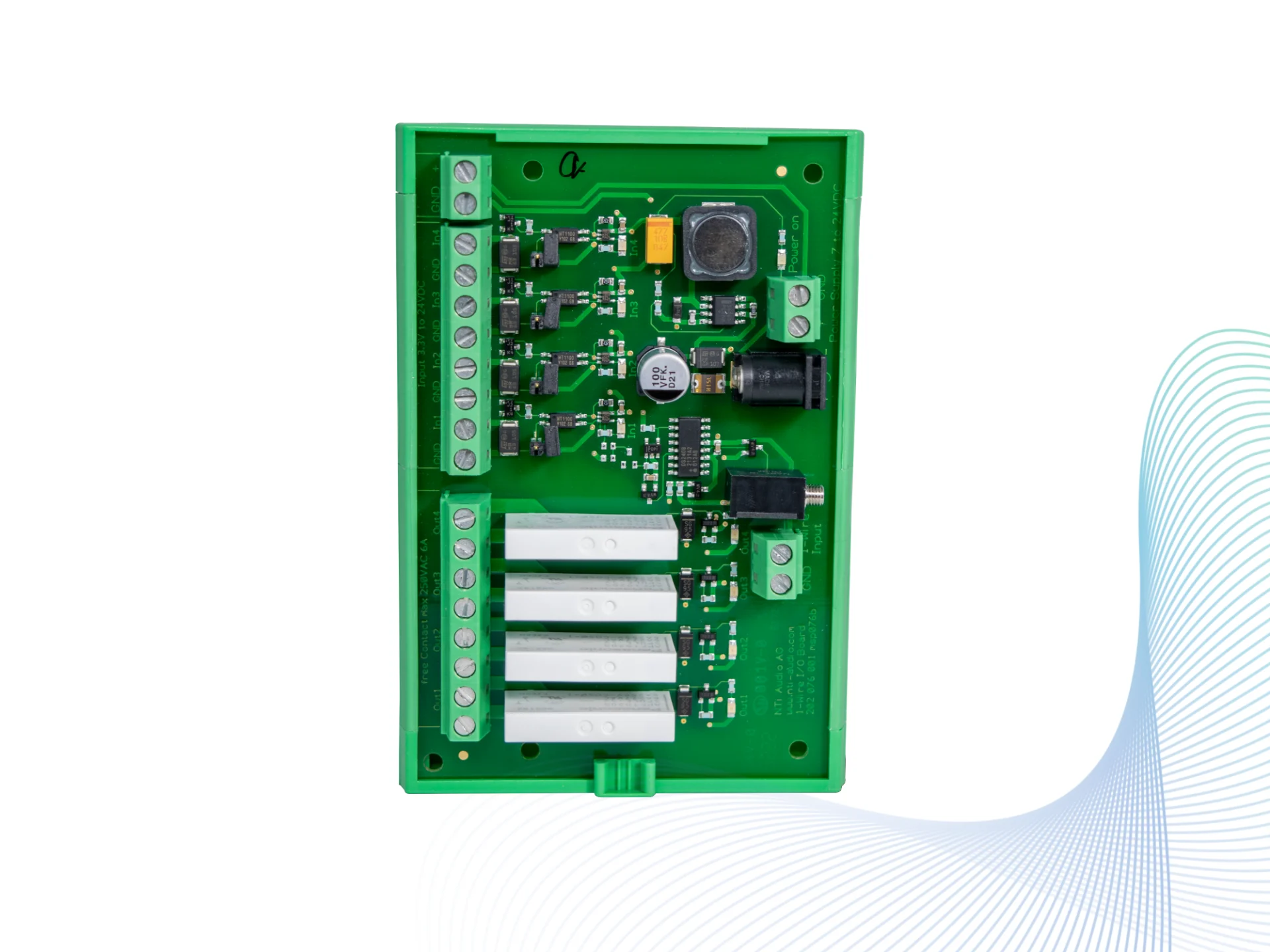
- Digital I/O Adapter: เชื่อม XL2 เข้ากับ PLC ออกแบบสำหรับติดรางในตู้ไฟฟ้าDigital I/O Adapter: links the XL2 to a PLC; designed for rail mounting in electrical switch boxes.
- XL2 Remote Measurement Option: สั่งเริ่มวัดและดึงผลผ่าน USB จากโปรแกรมของคุณเองXL2 Remote Measurement Option: start measurements and retrieve results over USB from your own software.
- หลายเครื่องพร้อมกัน: ต่อ XL2 หลายเครื่องผ่าน USB Device Server บนเครือข่าย และ Projector PRO แสดงหน้าจอของแต่ละเครื่องบนจอคอมพิวเตอร์Several units: multiple XL2s connect through USB device servers over a network, and Projector PRO shows each XL2's screen on a PC monitor.
- ระบบเฉพาะของโรงงาน: ใช้ XL2 เป็นหน่วยวัดส่วนหน้า แล้วสร้างระบบ QC ของตัวเองได้Your own solution: the XL2 can act as the front-end measurement device of a custom QC system.
ชุดเครื่องมือEquipment
ชุด "XL2 Kit for Noise and Vibration Quality Control" ของ NTi Audio ประกอบด้วย:NTi Audio's "XL2 Kit for Noise and Vibration Quality Control" contains:
- XL2 Audio and Acoustic AnalyzerXL2 Audio and Acoustic Analyzer
- XL2 Spectral Limits OptionXL2 Spectral Limits Option
- ไมโครโฟนวัดเสียง M2211M2211 measurement microphone
- XL2 Vibration OptionXL2 Vibration Option
- Accelerometer และ ICP Adapter ASDAccelerometer and ICP Adapter ASD
- ASD Cable สำหรับ XL2, Mains Power Adapter และ Exel System CaseASD Cable for XL2, mains power adapter and Exel system case
ระบบของ GET BEST SOUND สำหรับงานนี้GET BEST SOUND's system for this work
GET BEST SOUND พัฒนา GBS Spectral Limit Software ซึ่งใช้หลักการเดียวกันบนคอมพิวเตอร์: กรอกหมายเลขเครื่อง กดวัด ได้ผล PASS / FAIL ขนาดใหญ่ พร้อมแบนด์ที่แย่ที่สุด ระยะห่างจากขอบเขต และไฟล์บันทึกผลของทุกเครื่อง อ่านขั้นตอนพร้อมภาพหน้าจอได้ในกรณีศึกษา QC เสียงของสินค้าGET BEST SOUND developed GBS Spectral Limit Software, which applies the same principle on a computer: enter the serial number, press measure, and get a large PASS / FAIL with the worst band, the margin to the limit and a result file for every unit. The workflow with screenshots is in our product sound QC case study.
ข้อผิดพลาดที่พบบ่อยCommon mistakes
- ใช้สินค้าเพียงชิ้นเดียวเป็นค่าอ้างอิง ทำให้แถบแคบเกินไปและสินค้าดีถูกตัดสินว่าไม่ผ่านUsing a single unit as the reference, so the band is too narrow and good units fail.
- ตำแหน่งเซนเซอร์ไม่คงที่ ระยะไมโครโฟนหรือจุดติด Accelerometer เปลี่ยนไปในแต่ละครั้งInconsistent sensor position: the microphone distance or accelerometer mounting point changes between units.
- ไม่คำนึงถึงเสียงรอบข้างของโรงงานเมื่อวัดด้วยไมโครโฟนIgnoring the factory background when measuring with a microphone.
- สินค้ายังไม่เข้าสู่สภาวะทำงานคงที่ขณะวัดMeasuring before the product has reached a steady operating state.
คำถามที่พบบ่อยFAQ
ต้องมีคอมพิวเตอร์ที่จุดทดสอบไหม?Is a computer needed at the test point?
ไม่จำเป็น XL2 ตัดสิน Pass / Fail และแสดงผลด้วยไฟในตัวหรือ Stack Light ได้เอง คอมพิวเตอร์ใช้เมื่อต้องการแสดงผลขนาดใหญ่ เก็บข้อมูลตามหมายเลขเครื่อง หรือเชื่อมกับระบบของโรงงานNo. The XL2 decides pass / fail by itself and shows it with its own LED or a Stack Light. A computer is used for a large display, records per serial number or a link to the plant's systems.
ควรใช้สินค้ากี่ชิ้นสร้างค่าอ้างอิง?How many units should the reference be built from?
มากกว่าหนึ่งชิ้นเสมอ XL2 สร้างแถบจากค่าเฉลี่ยหรือจากเส้นต่ำสุดและสูงสุดของการวัดหลายครั้งได้ เพื่อให้ครอบคลุมความแปรผันตามปกติของการผลิตAlways more than one. The XL2 builds the band from the mean, or from the min / max curves, of several captures, so that it covers normal production spread.
เริ่มวัดอัตโนมัติได้ไหม?Can the measurement start automatically?
ได้ เริ่มด้วยระดับสัญญาณเมื่อสินค้าเริ่มทำงาน ด้วยสวิตช์เท้า หรือสั่งจาก PLC ผ่าน Digital I/O AdapterYes: by level trigger when the product starts running, by a foot switch, or from a PLC through the Digital I/O Adapter.