NTi Audio · Options & Licences
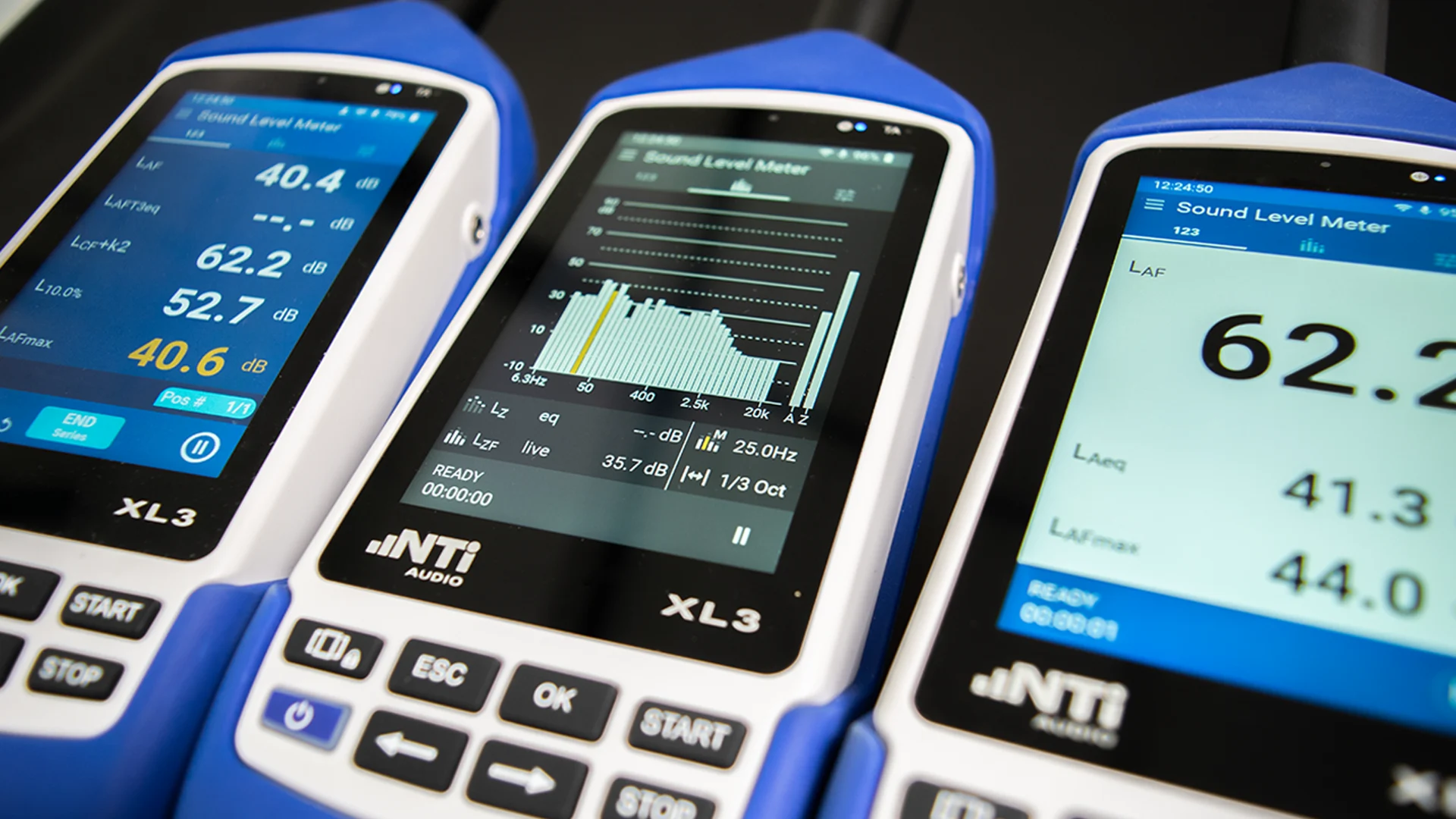
XL2 / XL3 Options
Option และ LicenseOptions & licences
เพิ่มฟังก์ชันการวัดให้เครื่อง XL2 และ XL3 ด้วย Option บนตัวเครื่อง ซอฟต์แวร์บน PC และชุด Bundle เลือกเฉพาะที่งานของคุณต้องใช้Extend the XL2 and XL3 with on-instrument options, PC software and bundles, and add only what your work needs.
How options work
Option ทำงานอย่างไรHow options work
สิ่งที่ซื้อเพิ่มหรือใช้ร่วมกับ XL2 / XL3 แบ่งได้เป็น 5 แบบ ควรแยกให้ชัดก่อนสั่งซื้อWhat you add to or use with an XL2 / XL3 falls into five kinds; it helps to tell them apart before ordering.
โหมดการวัดที่มีมากับเครื่อง เช่น SLMeter/RTA หรือ Reverberation Time ไม่ต้องซื้อเพิ่มA measurement mode that comes with the instrument, such as SLMeter/RTA or Reverberation Time; nothing to buy
License ที่เปิดฟังก์ชันเพิ่มบนตัวเครื่อง XL2 หรือ XL3 เครื่องนั้น เช่น XL2 Extended Acoustic Pack หรือ STIPA OptionA licence that unlocks extra functions on that XL2 or XL3 instrument, e.g. the XL2 Extended Acoustic Pack or the XL3 STIPA Option
โปรแกรมบน PC เช่น Data Explorer หรือ Sound Insulation Reporter ติดตั้งและทดลองใช้ได้ฟรีPC programs such as Data Explorer or Sound Insulation Reporter; free to install and try
เปิดการนำเข้าข้อมูลจากเครื่องวัดเข้าซอฟต์แวร์ ผูกกับเครื่องวัดแต่ละเครื่อง และมีรหัสแยกสำหรับ XL2 และ XL3Enables importing data from the instrument into the software; tied to the individual instrument, with separate XL2 and XL3 order numbers
อุปกรณ์จริง เช่น ไมโครโฟน Sound Calibrator หรือ Accelerometer ไม่ใช่ LicensePhysical items such as microphones, sound calibrators or accelerometers, not licences
Permanent, 365 และ Bundle ต่างกันอย่างไรPermanent, 365 and bundles
Option และ License หลายรายการมีให้เลือก 2 แบบ: Permanent (ซื้อขาด) และ 365 (บริการรายปี) ซึ่ง NTi Audio ให้รหัสสั่งซื้อแยกกัน ซอฟต์แวร์บางตัวมีแบบ 365 Company สำหรับ 3 เครื่องขึ้นไปMany options and licences come in two forms: Permanent and 365 (annual subscription service), each with its own NTi Audio order number. Some software also has a 365 Company form for 3 or more instruments.
Bundle ของ XL3 รวม Instrument Option กับ Software License แบบ Permanent ไว้ในรหัสสั่งซื้อเดียวAn XL3 bundle combines an Instrument Option and its Software License, both permanent, under one order number.
เลือก OptionChoosing
งานแบบไหนใช้ Option อะไรWhich option for which task
จับคู่งานวัดกับสิ่งที่ต้องมีบน XL2 หรือ XL3 และซอฟต์แวร์บน PC ที่เกี่ยวข้องMatch each measurement task to what the XL2 or XL3 needs and the related PC software
| งานวัดTask | XL2 | XL3 | ซอฟต์แวร์บน PCPC software |
|---|---|---|---|
| เสียงรบกวนและเสียงสิ่งแวดล้อมNoise and environmental noise | |||
| วัดเสียงสิ่งแวดล้อม: Percentile, บันทึกเสียง, บันทึกข้อมูล 100 msEnvironmental noise: percentiles, audio recording, 100 ms logging | XL2XL2 Extended Acoustic Pack | XL3XL3 Extended Noise Measurement Option | ซอฟต์แวร์บน PCPC softwareData Explorer (XL3: XL3 Environmental Noise Bundle # 600 000 741) |
| งานวัดที่ต้องใช้เครื่องแบบ Type approved Class 1Measurements that need a type-approved Class 1 meter | XL2XL2 Type Approval Option (XL2-TA) | XL3ไม่มีเป็น Option (XL3 + M2340 / M2230 เป็นชุด Type approval Class 1 ตาม XL3 Technical Data)Not an option (XL3 + M2340 / M2230 forms a type-approved Class 1 meter per the XL3 technical data) | ซอฟต์แวร์บน PCPC software– |
| Noise CurvesNoise curves | XL2XL2 Spectral Limits Option | XL3XL3 Extended Room Acoustics Option | ซอฟต์แวร์บน PCPC software– |
| อะคูสติกอาคารและห้องBuilding and room acoustics | |||
| เวลาเสียงก้อง (Reverberation time) แบบ 1/3 ออกเตฟReverberation time in 1/3 octaves | XL2XL2 Extended Acoustic Pack | XL3XL3 Extended Room Acoustics Option | ซอฟต์แวร์บน PCPC softwareRoom Acoustics Reporter (XL3: XL3 Room Acoustics Bundle # 600 000 743) |
| การกันเสียง (Sound insulation)Sound insulation | XL2XL2 Extended Acoustic Pack หรือ XL2 Remote Measurement Option บนเครื่อง + License ของ Sound Insulation ReporterXL2 Extended Acoustic Pack or XL2 Remote Measurement Option on the instrument + Sound Insulation Reporter licence | XL3XL3 Sound Insulation Option (ผลบนเครื่อง)XL3 Sound Insulation Option (results on the instrument) | ซอฟต์แวร์บน PCPC softwareSound Insulation Reporter (XL3: XL3 Sound Insulation Bundle # 600 000 742) |
| กำลังเสียง (Sound power)Sound power | XL2XL2 Extended Acoustic Pack | XL3ไม่ระบุnot stated | ซอฟต์แวร์บน PCPC softwareSound Power Reporter |
| ระบบเสียงและงานเฉพาะทางSound systems and special tasks | |||
| ความชัดเจนของเสียงพูด (STIPA) ระบบเสียงประกาศและอพยพSpeech intelligibility (STIPA) for PA and evacuation systems | XL2XL2 Speech Intelligibility STIPA Option (# 600 000 338) | XL3XL3 STIPA Option (# 600 000 712 / 725) | ซอฟต์แวร์บน PCPC softwareSTI Reporting Tool (XL2, MS Excel) |
| ปรับเทียบและตรวจสอบระบบเสียงโรงภาพยนตร์Cinema calibration and verification | XL2XL2 Cinema Meter Option | XL3ไม่ระบุnot stated | ซอฟต์แวร์บน PCPC software– |
| Live sound: แสดงระดับเสียงขนาดใหญ่และค่าจำกัดLive sound: large level display and limits | XL2XL2 Projector PRO Option (# 600 000 439) หรือ XL2 Remote Measurement OptionXL2 Projector PRO Option (# 600 000 439) or XL2 Remote Measurement Option | XL3XL View ในตัวเครื่อง (ฟรี ผ่านเบราว์เซอร์)Built-in XL View (free, in a browser) | ซอฟต์แวร์บน PCPC softwareProjector PRO (XL2) |
| Pass/Fail ด้วยสเปกตรัม, 1/12 ออกเตฟ, Zoom-FFT (QC)Spectral pass/fail, 1/12 octave, zoom FFT (QC) | XL2XL2 Spectral Limits Option (# 600 000 376) | XL3ไม่ระบุnot stated | ซอฟต์แวร์บน PCPC software– |
| แรงสั่นสะเทือนVibration | XL2XL2 Vibration Option (# 600 000 436) + AccelerometerXL2 Vibration Option (# 600 000 436) + accelerometer | XL3ไม่ระบุnot stated | ซอฟต์แวร์บน PCPC software– |
| ข้อมูลและการควบคุมจากระยะไกลData and remote control | |||
| ดึงข้อมูลและควบคุมเครื่องจากคอมพิวเตอร์ / ระยะไกลData acquisition and control from a computer / remotely | XL2XL2 Remote Measurement Option (USB, Command set)XL2 Remote Measurement Option (USB, command set) | XL3NTi Connect (ฟรีถึง 2 GB/เดือน) / XL3 NTi Connect Open Data 365 (# 600 000 734)NTi Connect (free up to 2 GB/month) / XL3 NTi Connect Open Data 365 (# 600 000 734) | ซอฟต์แวร์บน PCPC software– |
“ไม่ระบุ” = NTi Audio ไม่ได้แสดง Option ที่ตรงกันสำหรับเครื่องนั้นในหน้าปัจจุบัน ไม่ได้หมายความว่าเครื่องทำไม่ได้ “–” = ไม่มีซอฟต์แวร์เฉพาะ สอบถามวิศวกรเพื่อยืนยันก่อนสั่งซื้อ“Not stated” = NTi Audio's current pages show no matching option for that instrument; it does not mean the instrument cannot do it. “–” = no dedicated software. Ask an engineer to confirm before ordering.
XL2
Instrument Option สำหรับ XL2XL2 instrument options
Option ที่เปิดบนตัวเครื่อง XL2 Audio & Acoustic Analyzer (License ของซอฟต์แวร์บน PC อยู่ในหัวข้อถัดไป)Options activated on the XL2 Audio & Acoustic Analyzer itself (PC software licences are in the next section)
วัดเสียงและอะคูสติกSound and acoustics
XL2 Extended Acoustic Pack
สำหรับ XL2For XL2
เพิ่มอะไร ใครต้องใช้ ต้องมีอะไรก่อนWhat it adds, who needs it, what it requires
- SLMeter/RTA: บันทึกเสียง WAV 24 bit, 48 kHz (เริ่มไฟล์ใหม่ทุกชั่วโมง ไฟล์ละไม่เกิน 512 MB)SLMeter/RTA: WAV recording at 24 bit, 48 kHz (a new file every hour, max. 512 MB per file)
- ค่า Percentile ทั้งระดับรวมและสเปกตรัม ตั้งได้ 0.1 – 99.9 %Percentiles for broadband and spectrum, adjustable from 0.1 to 99.9 %
- Sound Exposure Level LAE, บันทึกข้อมูลทุก 100 ms และ RTA logging ของ Lmin และ LmaxSound exposure level LAE, 100 ms logging and RTA logging of Lmin and Lmax
- บันทึกเสียงและข้อมูลเมื่อเกิดเหตุการณ์ (Event-triggered)Event-triggered audio and data recording
- Time weighting แบบ Impulse, ค่า True peak แบบ 1/1 และ 1/3 ออกเตฟ และ TaktMax ตาม DIN 45645-1Impulse time weighting, true peak in 1/1 and 1/3 octaves, and TaktMax per DIN 45645-1
- ตรวจจับความเป็นเสียงกระแทก (Impulsiveness) ตาม BS4142:2014 และ NordTest ACOU 112Impulsiveness detection per BS4142:2014 and NordTest ACOU 112
- FFT: Zoom-FFT ความละเอียดถึง 0.4 Hz ในช่วง 5 Hz – 20 kHz และบันทึกเสียง WAV แบบ LinearFFT: zoom FFT with resolution up to 0.4 Hz from 5 Hz to 20 kHz, and linear WAV recording
- Reverberation Time: เวลาเสียงก้องแบบ 1/3 ออกเตฟReverberation Time: reverberation time in 1/3 octaves
- ใครต้องใช้: ที่ปรึกษาด้านเสียงสิ่งแวดล้อม อะคูสติกห้อง อะคูสติกอาคาร และกำลังเสียงWho needs it: environmental noise, room acoustics, building acoustics and sound power work
- ซอฟต์แวร์ที่เกี่ยวข้อง: NTi Audio ระบุ Option นี้สำหรับ Data Explorer, Room Acoustics Reporter, Sound Power Reporter และเป็นหนึ่งในทางเลือกสำหรับ Sound Insulation ReporterRelated software: NTi Audio names this option for Data Explorer, Room Acoustics Reporter and Sound Power Reporter, and as one route for Sound Insulation Reporter
- NTi Audio #: 600 000 339
XL2 Type Approval Option
สำหรับ XL2For XL2
เพิ่มอะไร ใครต้องใช้ ต้องมีอะไรก่อนWhat it adds, who needs it, what it requires
- อัปเกรด XL2 เป็น XL2-TA สำหรับงานวัดที่ต้องการการรับรอง (Certified Measurements) Class 1Upgrades the XL2 to the XL2-TA for certified Class 1 measurements
- IEC 61672:2014, IEC 61260:2014, ANSI S1.4:2014, ANSI S1.11:2014
- มีใบรับรอง Type Approval ระดับประเทศ: เยอรมนี ฮังการี สวิตเซอร์แลนด์National type approval certificates: Germany, Hungary, Switzerland
- ชุดประกอบด้วย XL2-TA, ไมโครโฟน M2230 หรือ M2340, Shroud MXA01 และ Class 1 Sound Calibrator ของ NTi AudioThe set: XL2-TA, M2230 or M2340 microphone, shroud MXA01 and an NTi Audio Class 1 Sound Calibrator
- Firmware V4.71 (AT, CH, DE) หรือ V4.21 (FR)Firmware V4.71 (AT, CH, DE) or V4.21 (FR)
- ใครต้องใช้: งานที่กฎหมายหรือผู้ว่าจ้างกำหนดให้ใช้เครื่องวัดที่ผ่าน Type approvalWho needs it: work where regulations or the client require a type-approved meter
- NTi Audio ไม่ได้แสดงรหัสสั่งซื้อบนหน้าเว็บNo order number shown on NTi Audio's page
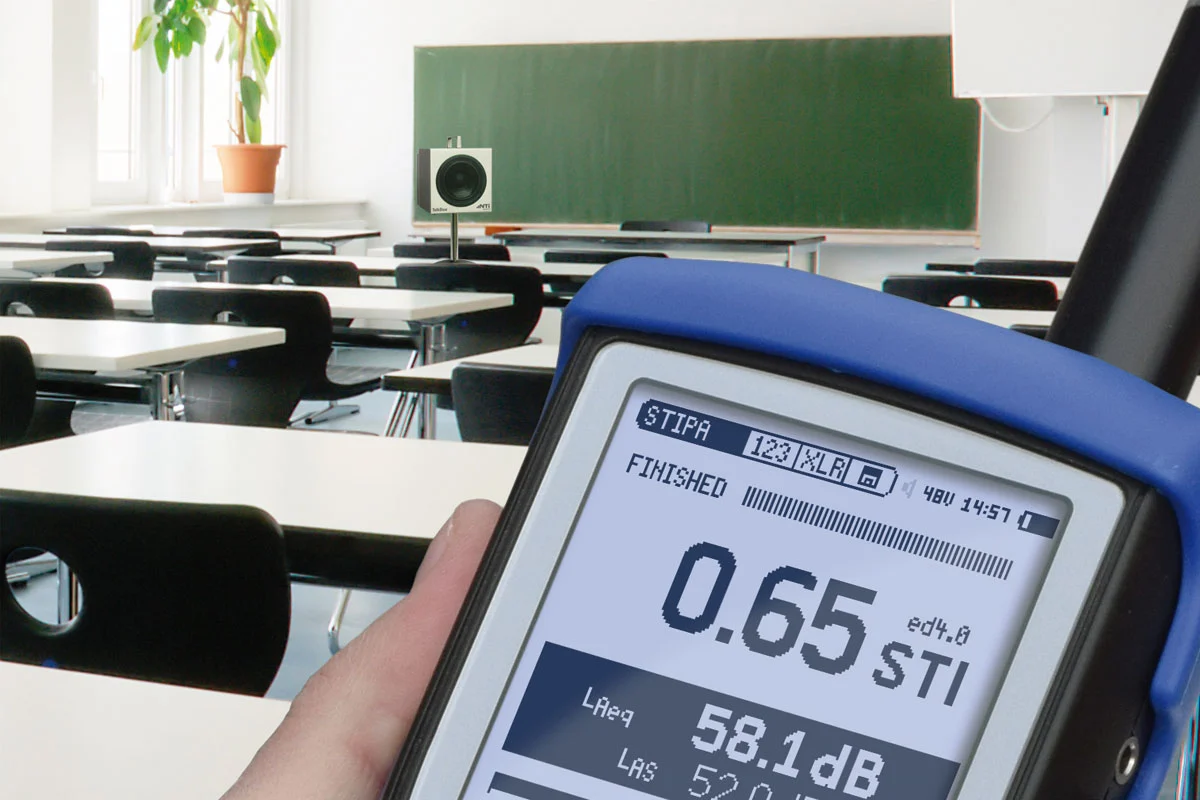
XL2 Speech Intelligibility STIPA Option
สำหรับ XL2For XL2
- วัดความชัดเจนของเสียงพูดตาม IEC 60268-16:2020 (edition 5) และ Edition ก่อนหน้า สำหรับระบบเสียงประกาศและระบบเสียงอพยพSpeech intelligibility per IEC 60268-16:2020 (edition 5) and older editions, for public address and evacuation systems
- แสดงค่า STI และ CIS พร้อมระดับเสียงและ Modulation index ของแต่ละย่านออกเตฟShows STI and CIS with the level and modulation indices of each octave band
- ชดเชยเสียงรบกวนพื้นหลัง (Ambient Noise Correction) และหาค่าเฉลี่ยอัตโนมัติเมื่อวัดซ้ำAmbient noise correction and automated averaging of repeated measurements
- ต้องมีแหล่งสัญญาณทดสอบ: TalkBox (ระบบที่ใช้ไมโครโฟนพูด), Minirator MR-PRO (อินพุต Line) หรือ USB Flash Drive ที่มากับ XL2Needs a test signal: TalkBox (voice-microphone systems), Minirator MR-PRO (line inputs) or the USB flash drive supplied with the XL2
- ซอฟต์แวร์ที่เกี่ยวข้อง: STI Reporting Tool บน MS Excel (Windows XP, 7, 8, 10; Excel 2010, 2013, 2016)Related software: STI Reporting Tool on MS Excel (Windows XP, 7, 8, 10; Excel 2010, 2013, 2016)
- NTi Audio #: 600 000 338
XL2 Cinema Meter Option
สำหรับ XL2For XL2
เพิ่มอะไร ใครต้องใช้ ต้องมีอะไรก่อนWhat it adds, who needs it, what it requires
- สร้าง Template การวัดพร้อม X-curve ตามขนาดโรงภาพยนตร์Creates measurement templates with the X-curve for the cinema size
- ผู้ช่วยปรับเทียบ (Calibration assistant) บันทึกค่าอ้างอิงของแต่ละช่องและทดสอบ HeadroomCalibration assistant records reference data per channel and runs headroom tests
- เฉลี่ยผลจากหลายตำแหน่งไมโครโฟน และผู้ช่วยตรวจสอบซ้ำ (Verification assistant) เทียบกับค่าอ้างอิงAverages several microphone positions; a verification assistant compares periodic checks against the reference
- ตามมาตรฐาน SMPTE ST 202:2010 และ SMPTE RP 200:2012 และรวมฟังก์ชันของ XL2 Spectral Limits OptionPer SMPTE ST 202:2010 and SMPTE RP 200:2012, and includes the XL2 Spectral Limits Option functions
- NTi Audio แนะนำไมโครโฟน M2211 (Class 1 frequency response)NTi Audio recommends the M2211 microphone (class 1 frequency response)
- NTi Audio #: 600 000 376 (XL2 Spectral Limits Option) + 600 000 378 (Cinema Assistant Option)
XL2 Spectral Limits Option
สำหรับ XL2For XL2
เพิ่มอะไร ใครต้องใช้ ต้องมีอะไรก่อนWhat it adds, who needs it, what it requires
- FFT และ 1/12 ออกเตฟ: เก็บผลการวัดหลายชุดในหน่วยความจำ เปรียบเทียบแบบค่าสัมพัทธ์หรือค่าสัมบูรณ์ และตัดสินผ่าน/ไม่ผ่านด้วย Tolerance MaskFFT and 1/12 octave: several captures in memory, relative or absolute comparison and pass/fail with tolerance masks
- เลือกความละเอียดได้ 1/1, 1/3, 1/6 และ 1/12 ออกเตฟ: Sound Mode 11.5 Hz – 21.8 kHz, Vibration Mode 0.73 Hz – 1.36 kHzSelectable 1/1, 1/3, 1/6 and 1/12 octave resolution: sound mode 11.5 Hz – 21.8 kHz, vibration mode 0.73 Hz – 1.36 kHz
- Zoom-FFT ความละเอียดถึง 0.4 Hz: Sound Mode 5 Hz – 20 kHz, Vibration Mode 1 Hz – 20 kHzZoom FFT with resolution up to 0.4 Hz: sound mode 5 Hz – 20 kHz, vibration mode 1 Hz – 20 kHz
- ค่า True peak แบบ 1/1 และ 1/3 ออกเตฟ และ Noise Curves ตาม ANSI S12.2-2008, -1995 และ ISO 1996True peak in 1/1 and 1/3 octaves, and noise curves per ANSI S12.2-2008, -1995 and ISO 1996
- ใครต้องใช้: งาน QC ผลิตภัณฑ์ งานเปรียบเทียบสเปกตรัม และงาน Noise CurvesWho needs it: product QC, spectrum comparison and noise-curve work
- ต้องมี: Vibration Mode ต้องมี XL2 Vibration OptionRequires: vibration mode needs the XL2 Vibration Option
- NTi Audio #: 600 000 376
แรงสั่นสะเทือน การเชื่อมต่อ และ Live soundVibration, connectivity and live sound
XL2 Vibration Option
สำหรับ XL2For XL2
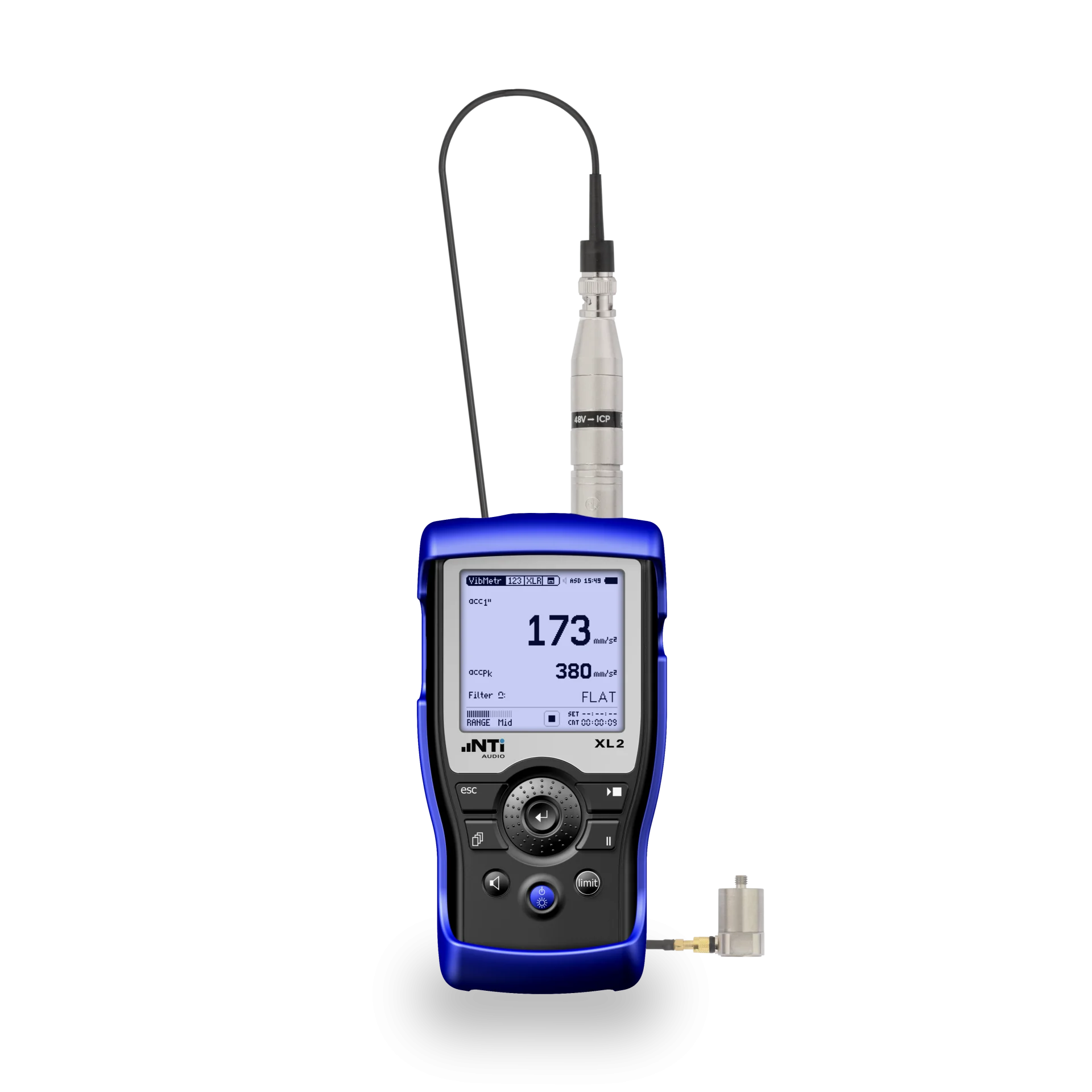
- ขยาย XL2 เป็นเครื่องวัดแรงสั่นสะเทือน: ความเร่ง ความเร็ว และการกระจัด พร้อมฟิลเตอร์ถ่วงน้ำหนักตามมาตรฐานExtends the XL2 to vibration measurement: acceleration, velocity and displacement with standard weighting filters
- ระดับรวมและสเปกตรัม 1/1 หรือ 1/3 ออกเตฟ ช่วงความถี่ 0.8 Hz – 2.5 kHzBroadband and 1/1 or 1/3 octave spectrum, 0.8 Hz – 2.5 kHz
- FFT เลือกช่วงความถี่ได้ตั้งแต่ 1 Hz ถึง 1.69 kHz และ OscilloscopeFFT in selectable ranges from 1 Hz to 1.69 kHz, plus oscilloscope
- ร่วมกับ XL2 Spectral Limits Option: Zoom FFT, 1/12 ออกเตฟ 0.73 Hz – 1.36 kHz, สเปกตรัมอ้างอิงและ Pass/FailWith the XL2 Spectral Limits Option: zoom FFT, 1/12 octave 0.73 Hz – 1.36 kHz, reference spectra and pass/fail
- ต้องมี: XL2 Firmware V4.04 ขึ้นไป และ Accelerometer (ดูหน้า XL2 Vibration Meter)Requires: XL2 firmware V4.04 or higher and an accelerometer (see the XL2 Vibration Meter page)
- NTi Audio #: 600 000 436
XL2 Remote Measurement Option
สำหรับ XL2For XL2
เพิ่มอะไร ใครต้องใช้ ต้องมีอะไรก่อนWhat it adds, who needs it, what it requires
- ส่งข้อมูลการวัดจาก XL2 เข้าโปรแกรมบนคอมพิวเตอร์แบบเรียลไทม์ผ่าน USBReal-time transfer of XL2 measurement data into a computer application via USB
- มีชุดคำสั่ง (Command set) พร้อมเอกสาร สำหรับเขียนโปรแกรมเอง เช่น MS Excel หรือ LabViewA documented command set for your own applications, e.g. MS Excel or LabView
- ใช้กับฟังก์ชัน SLMeter/RTA, VibMeter/CPB, FFT, Reverberation Time, RMS/THDN และ 1/12 Oct + TolWorks with SLMeter/RTA, VibMeter/CPB, FFT, Reverberation Time, RMS/THDN and 1/12 Oct + Tol
- NTi Audio ระบุว่ารวมความสามารถของ Projector PRO Option ไว้ด้วยNTi Audio states it includes the functionality of the Projector PRO Option
- เพิ่มการรับข้อมูลแบบเรียลไทม์ให้ Sound Insulation Reporter (ต้องมี License ของ Sound Insulation Reporter สำหรับ XL2 ด้วย)Adds real-time acquisition to Sound Insulation Reporter (the XL2 Sound Insulation Reporter licence is also needed)
- มีหน้าแยกสำหรับ XL2 Vibration Meter; NTi Audio ไม่ได้แสดงรหัสสั่งซื้อบนหน้าเว็บAlso listed for the XL2 Vibration Meter; no order number shown on NTi Audio's pages
XL2 Projector PRO Option
สำหรับ XL2For XL2
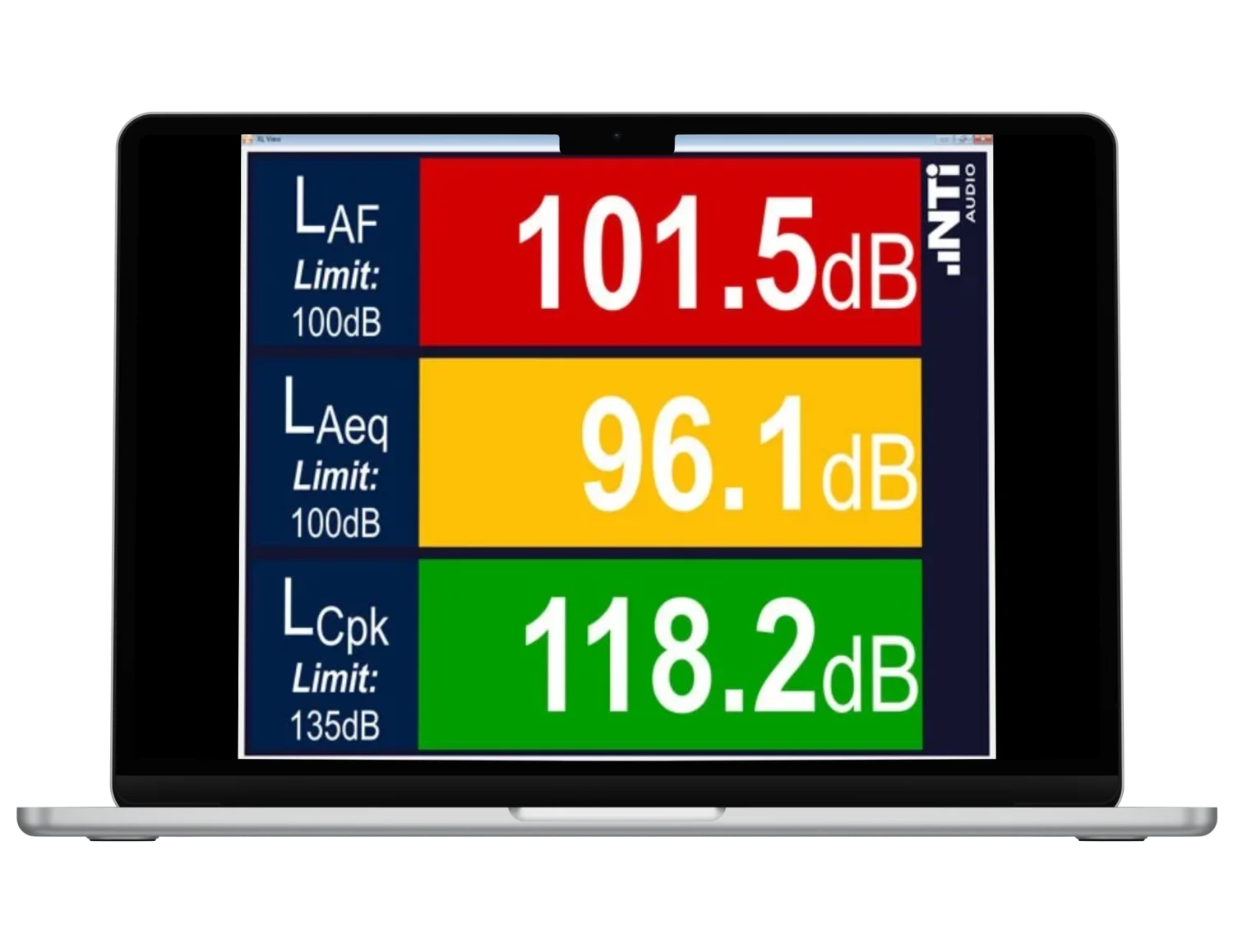
- เปิดใช้งาน “XL View” และ “Sound Level Predictor” ในซอฟต์แวร์ Projector PROEnables “XL View” and “Sound Level Predictor” in the Projector PRO software
- แสดงหน้าจอ XL2 บนคอมพิวเตอร์หรือแท็บเล็ตผ่าน USB สำหรับงาน Live soundShows the XL2 screen on a computer or tablet via USB, for live sound
- ใครต้องใช้: งานเฝ้าระดับเสียงงานแสดงสดที่ต้องการจอแสดงผลใหญ่ ถ้ามี XL2 Remote Measurement Option อยู่แล้วไม่ต้องซื้อเพิ่ม (ตามที่ NTi Audio ระบุ)Who needs it: live-event level monitoring with a large display; not needed if the XL2 Remote Measurement Option is already installed (per NTi Audio)
- NTi Audio #: 600 000 439
XL3
Instrument Option และ Bundle สำหรับ XL3XL3 instrument options & bundles
Option แต่ละรายการของ XL3 มีทั้งแบบ Permanent และ 365 (บริการรายปี)Each XL3 option is available as Permanent or 365 (annual subscription)
Instrument Option (บนตัวเครื่อง)Instrument Options (on the instrument)
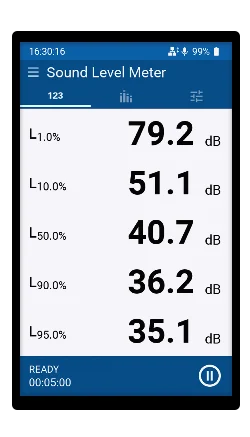
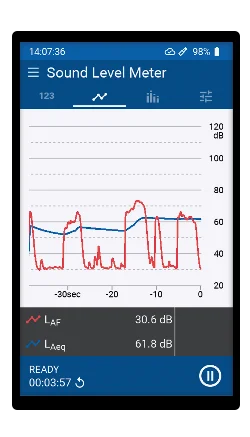
XL3 Extended Noise Measurement Option
สำหรับ XL3For XL3
- Sound exposure level LAE, Time weighting แบบ Impulse และผลต่างระดับเสียง LAIeq – LAeqSound exposure level LAE, impulse time weighting and level difference LAIeq – LAeq
- ค่า Percentile ของระดับเสียงรวมและสเปกตรัม และบันทึกข้อมูลทุก 100 msPercentile statistics for broadband and spectrum, and 100 ms logging
- บันทึกเสียง 24, 32 บิต ที่ 12, 24, 48, 96 kHz และกราฟระดับเสียงตามเวลา (Level Time History)Audio recording at 24 or 32 bit, 12, 24, 48 or 96 kHz, and level time history
- บันทึกเสียงและข้อมูลเมื่อเกิดเหตุการณ์ และ Marker แบบ Manual และอัตโนมัติ (NTi Audio ระบุว่าเป็นส่วนเสริม)Event-triggered audio and data recording, and manual and automatic markers (marked optional by NTi Audio)
- ใครต้องใช้: ที่ปรึกษาด้านเสียงรบกวนและเสียงสิ่งแวดล้อม; ซอฟต์แวร์ที่เกี่ยวข้อง: Data ExplorerWho needs it: noise and environmental noise consultants; related software: Data Explorer
- NTi Audio #: 600 000 707 (Permanent), 600 000 721 (365 รายปี)NTi Audio #: 600 000 707 (permanent), 600 000 721 (365 annual subscription)
XL3 Extended Room Acoustics Option
สำหรับ XL3For XL3
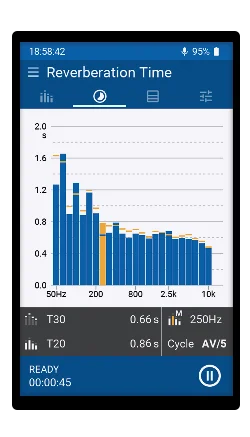
- เวลาเสียงก้องย่าน 1/3 ออกเตฟ 50 Hz – 10 kHzReverberation time in 1/3 octave bands, 50 Hz – 10 kHz
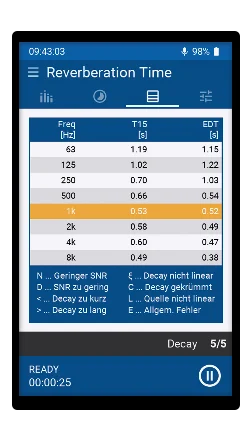
- EDT และ T15 และแสดง T30, T20, T15, EDT พร้อมกันEDT and T15, with T30, T20, T15 and EDT simultaneously
- ตั้ง Minimum trigger level, บันทึกเสียง, ค่าเฉลี่ยของห้อง (Room average) และ Noise CurvesMinimum trigger level, audio recording, room average and noise curves
- กราฟ Decay curve (NTi Audio ระบุว่าอยู่ในแผน)Decay curve view (listed as planned by NTi Audio)
- ใครต้องใช้: งานอะคูสติกห้อง; ซอฟต์แวร์ที่เกี่ยวข้อง: Room Acoustics ReporterWho needs it: room acoustics; related software: Room Acoustics Reporter
- NTi Audio #: 600 000 708 (Permanent), 600 000 722 (365 รายปี)NTi Audio #: 600 000 708 (permanent), 600 000 722 (365 annual subscription)
XL3 Sound Insulation Option
สำหรับ XL3For XL3
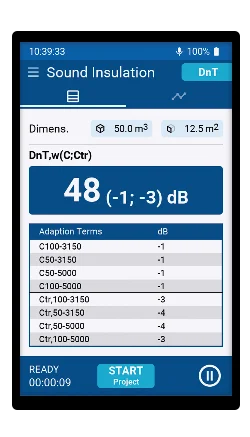
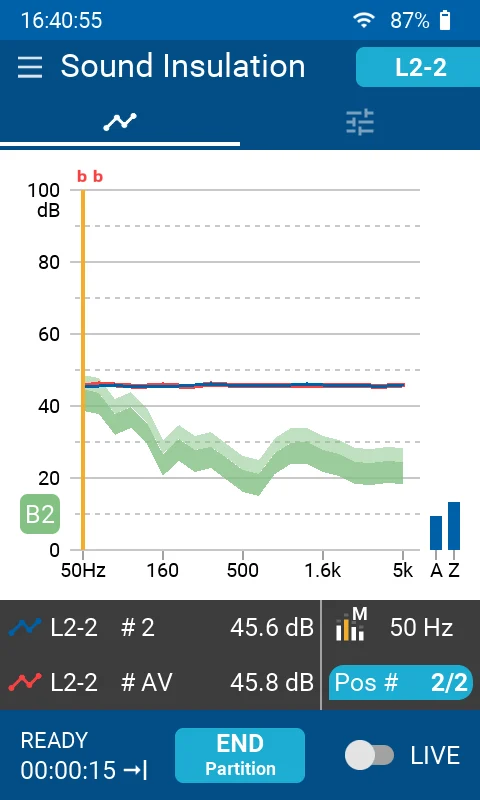
- เปลี่ยน XL3 เป็นเครื่องวัดอะคูสติกอาคาร: วัดระดับเสียงในห้องต้นทางและห้องรับ และเวลาเสียงก้องTurns the XL3 into a building acoustics analyzer: levels in the sending and receiving rooms and reverberation time
- การกันเสียงผ่านอากาศและเสียงกระแทก (หน้า Option); XL3 Technical Data และหน้า XL3 ระบุรวมถึงผนังภายนอกอาคาร (Facade) ด้วยAirborne and impact sound insulation (option page); the XL3 technical data and XL3 page also list facade sound insulation
- เฉลี่ยข้อมูลอัตโนมัติ และแสดงผลบนเครื่องที่หน้างาน เป็นกราฟและตารางAutomated data averaging and on-site results as chart and table
- ตาม ISO 16283 และ ISO 717; ผลลัพธ์ เช่น D, D'n, D'nT, R'Per ISO 16283 and ISO 717; results such as D, D'n, D'nT, R'
- ซอฟต์แวร์ที่เกี่ยวข้อง: Sound Insulation Reporter ต้องมี Option นี้บน XL3 (ตามหน้า Sound Insulation Reporter)Related software: Sound Insulation Reporter requires this option on the XL3 (per the Sound Insulation Reporter page)
- NTi Audio #: 600 000 709 (Permanent), 600 000 723 (365 รายปี)NTi Audio #: 600 000 709 (permanent), 600 000 723 (365 annual subscription)
XL3 STIPA Option
สำหรับ XL3For XL3
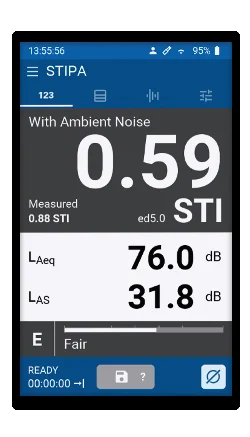
- วัดความชัดเจนของเสียงพูดตาม IEC 60268-16:2020 (edition 5) และ Edition ก่อนหน้าSpeech intelligibility per IEC 60268-16:2020 (edition 5) and older editions
- แสดงค่า STI และ CIS พร้อมระดับเสียงและ Modulation index ของ 7 ย่านออกเตฟSTI and CIS with levels and modulation indices of the seven octave bands
- ชดเชยเสียงรบกวนพื้นหลัง และหาค่าเฉลี่ยอัตโนมัติเมื่อวัดซ้ำAmbient noise correction and automated averaging of repeated measurements
- ต้องมีแหล่งสัญญาณ STIPA: MR-PRO, TalkBox หรือเครื่องเล่นเสียงอื่น (XL3 Technical Data)Needs a STIPA test signal: MR-PRO, TalkBox or another audio player (XL3 technical data)
- NTi Audio #: 600 000 712 (Permanent), 600 000 725 (365 รายปี)NTi Audio #: 600 000 712 (permanent), 600 000 725 (365 annual subscription)
บริการเชื่อมต่อConnectivity service
XL3 NTi Connect Open Data 365
สำหรับ XL3For XL3
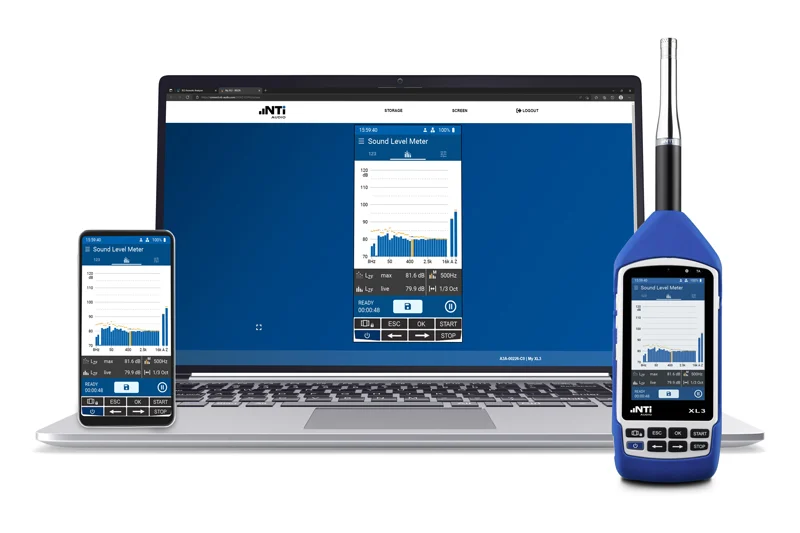
- Web server ในตัว XL3 เข้าถึงผ่าน connect.nti-audio.com หรือ SFTP: ควบคุมการวัดจากระยะไกล ดาวน์โหลดไฟล์ และ Remote APIThe XL3's built-in web server, reached via connect.nti-audio.com or SFTP: remote measurement control, file download and a remote API
- ไม่ต้องใช้ Static IP, VPN หรือ Port forwardingNo static IP, VPN or port forwarding needed
- NTi Connect ใช้ฟรีถึง 2 GB ต่อเดือน (เกินนั้นความเร็วลดลง) บริการนี้คงความเร็วเต็มทุกปริมาณข้อมูล เช่น ดาวน์โหลดไฟล์เสียงยาวNTi Connect is free up to 2 GB per month (slower above that); this subscription keeps full speed at any volume, e.g. for long audio recordings
- NTi Audio #: 600 000 734 (บริการรายปี)NTi Audio #: 600 000 734 (annual subscription)
ชุด Bundle (Option + License ซอฟต์แวร์)Bundles (option + software licence)
XL3 Environmental Noise Bundle
สำหรับ XL3For XL3
เพิ่มอะไร ใครต้องใช้ ต้องมีอะไรก่อนWhat it adds, who needs it, what it requires
- XL3 Extended Noise Measurement Option (Permanent)XL3 Extended Noise Measurement Option (permanent)
- Data Explorer Software License (Permanent)Data Explorer Software License (permanent)
- สำหรับที่ปรึกษาด้านเสียงรบกวน: วัดและวิเคราะห์เสียงสิ่งแวดล้อมFor noise consultants: environmental noise measurement and analysis
- NTi Audio #: 600 000 741
XL3 Room Acoustics Bundle
สำหรับ XL3For XL3
เพิ่มอะไร ใครต้องใช้ ต้องมีอะไรก่อนWhat it adds, who needs it, what it requires
- XL3 Extended Room Acoustics Option (Permanent)XL3 Extended Room Acoustics Option (permanent)
- Room Acoustics Reporter Software License (Permanent)Room Acoustics Reporter Software License (permanent)
- สำหรับงานอะคูสติกห้อง: วัดเวลาเสียงก้องและทำรายงานFor room acoustics: reverberation time measurement and reporting
- NTi Audio #: 600 000 743
XL3 Sound Insulation Bundle
สำหรับ XL3For XL3
เพิ่มอะไร ใครต้องใช้ ต้องมีอะไรก่อนWhat it adds, who needs it, what it requires
- XL3 Sound Insulation Option (Permanent)XL3 Sound Insulation Option (permanent)
- Sound Insulation Reporter Software License (Permanent)Sound Insulation Reporter Software License (permanent)
- สำหรับงานวัดอะคูสติกอาคาร: วัดบน XL3 และทำรายงานบน PCFor building acoustics: measure on the XL3, report on the PC
- NTi Audio #: 600 000 742
Software และ LicenseSoftware & licences
ซอฟต์แวร์บน PC: License และ Option ที่ต้องมีPC software: licences and required options
ซอฟต์แวร์เหล่านี้ติดตั้งและทดลองใช้ได้ฟรี การนำเข้าข้อมูลจากเครื่องวัดต้องมี License ของเครื่องนั้น และบางตัวต้องมี Instrument Option บนเครื่องด้วยThese programs are free to install and try; importing data from an instrument needs that instrument's licence, and some also need an instrument option.
| ซอฟต์แวร์Software | ใช้ทำอะไรWhat it does | License XL2 (Permanent / 365)XL2 licence (Permanent / 365) | License XL3 (Permanent / 365)XL3 licence (Permanent / 365) | Option ที่ต้องมีบนเครื่องInstrument option needed |
|---|---|---|---|---|
| Data Explorer | ใช้ทำอะไรWhat it doesวิเคราะห์ข้อมูลระดับเสียงจำนวนมาก ฟังเสียงที่บันทึก และทำรายงานAnalyses large sound level data sets, plays back recordings, builds reports | License XL2 (Permanent / 365)XL2 licence (Permanent / 365)600 000 430 / 431 | License XL3 (Permanent / 365)XL3 licence (Permanent / 365)600 000 717 / 730 | Option ที่ต้องมีบนเครื่องInstrument option neededแนะนำ: XL2 XL2 Extended Acoustic Pack หรือ XL3 Extended Noise MeasurementRecommended: XL2 XL2 Extended Acoustic Pack or XL3 Extended Noise Measurement |
| Room Acoustics Reporter | ใช้ทำอะไรWhat it doesรายงานเวลาเสียงก้องอัตโนมัติ และวิเคราะห์สเปกตรัมเสียงรบกวนAutomatic reverberation time reports and noise spectrum analysis | License XL2 (Permanent / 365)XL2 licence (Permanent / 365)600 000 440 / 441 | License XL3 (Permanent / 365)XL3 licence (Permanent / 365)600 000 719 / 732 | Option ที่ต้องมีบนเครื่องInstrument option neededXL2 XL2 Extended Acoustic Pack หรือ XL3 Extended Room AcousticsXL2 XL2 Extended Acoustic Pack or XL3 Extended Room Acoustics |
| Sound Insulation Reporter | ใช้ทำอะไรWhat it doesรายงานการกันเสียงผ่านอากาศ เสียงกระแทก และผนังภายนอกอาคารAirborne, impact and facade sound insulation reports | License XL2 (Permanent / 365)XL2 licence (Permanent / 365)600 000 432 / 433 | License XL3 (Permanent / 365)XL3 licence (Permanent / 365)600 000 718 / 731 | Option ที่ต้องมีบนเครื่องInstrument option neededXL2: XL2 Extended Acoustic Pack หรือ Remote Measurement; XL3: XL3 Sound Insulation OptionXL2: XL2 Extended Acoustic Pack or Remote Measurement; XL3: XL3 Sound Insulation Option |
| Sound Power Reporter | ใช้ทำอะไรWhat it doesรายงานกำลังเสียงตาม ISO 3741, 3744, 3746Sound power reports per ISO 3741, 3744, 3746 | License XL2 (Permanent / 365)XL2 licence (Permanent / 365)600 000 434 / 435 (ตาม Product Data 2018)600 000 434 / 435 (per Product Data 2018) | License XL3 (Permanent / 365)XL3 licence (Permanent / 365)ไม่ระบุnot stated | Option ที่ต้องมีบนเครื่องInstrument option neededXL2 XL2 Extended Acoustic Pack; XL3: ไม่ระบุXL2 XL2 Extended Acoustic Pack; XL3: not stated |
| Projector PRO | ใช้ทำอะไรWhat it doesแสดงหน้าจอ XL2 บนคอมพิวเตอร์ผ่าน USB (ฟรีสำหรับผู้ใช้ XL2 ที่ลงทะเบียน)Shows the XL2 screen on a computer via USB (free for registered XL2 users) | License XL2 (Permanent / 365)XL2 licence (Permanent / 365)XL View / Predictor: XL2 Projector PRO Option 600 000 439 | License XL3 (Permanent / 365)XL3 licence (Permanent / 365)– | Option ที่ต้องมีบนเครื่องInstrument option neededXL2 Projector PRO Option หรือ XL2 Remote Measurement Option (สำหรับ XL View / Predictor)XL2 Projector PRO Option or XL2 Remote Measurement Option (for XL View / Predictor) |
| STI Reporting Tool | ใช้ทำอะไรWhat it doesเครื่องมือทำรายงาน STI บน MS ExcelMS Excel-based STI reporting tool | License XL2 (Permanent / 365)XL2 licence (Permanent / 365)– | License XL3 (Permanent / 365)XL3 licence (Permanent / 365)– | Option ที่ต้องมีบนเครื่องInstrument option neededXL2 XL2 Speech Intelligibility STIPA Option |
ซอฟต์แวร์ส่วนใหญ่มีแบบ 365 Company สำหรับ 3 เครื่องขึ้นไปด้วย “ไม่ระบุ” = NTi Audio ไม่ได้แสดงรหัสสั่งซื้อหรือข้อกำหนดบนหน้าเว็บ “–” = ไม่มีหรือไม่เกี่ยวข้อง NTi Audio เรียก License ของ Sound Insulation Reporter สำหรับ XL2 ว่า “Sound Insulation Option XL2” ซึ่งเป็น License ซอฟต์แวร์ ไม่ใช่ Option บนตัวเครื่องMost programs also come as 365 Company for 3 or more instruments. “Not stated” = NTi Audio shows no order number or requirement on its pages; “–” = none or not applicable. NTi Audio calls the XL2 Sound Insulation Reporter licence “Sound Insulation Option XL2”; it is a software licence, not an on-instrument option.
Remote และ Live displayRemote & live display
Remote Measurement, Projector PRO, XL View และ NTi Connect ต่างกันอย่างไรRemote Measurement, Projector PRO, XL View and NTi Connect compared
ชื่อคล้ายกันแต่ทำงานต่างกันและใช้กับเครื่องต่างรุ่น ตารางนี้สรุปตามที่ NTi Audio ระบุSimilar names, different jobs and instruments. This table summarises what NTi Audio states.
| เครื่องมือTool | คืออะไรWhat it is | เครื่องวัดInstrument | ต้องมีอะไรWhat you need | การเชื่อมต่อConnection |
|---|---|---|---|---|
| XL2 | ||||
| Projector PRO | คืออะไรWhat it isซอฟต์แวร์แสดงหน้าจอ XL2 บน Windows / Mac และควบคุม XL2 ด้วยเมาส์และคีย์บอร์ดSoftware that shows the XL2 screen on Windows / Mac and controls the XL2 with mouse and keyboard | เครื่องวัดInstrumentXL2 | ต้องมีอะไรWhat you needฟรีสำหรับผู้ใช้ XL2 ที่ลงทะเบียนFree for registered XL2 users | การเชื่อมต่อConnectionUSB |
| XL View + Sound Level Predictor | คืออะไรWhat it isฟังก์ชันใน Projector PRO: ระดับเสียงขนาดใหญ่ 1 – 3 ค่า และประวัติระดับเสียงกับ HeadroomFunctions in Projector PRO: 1 – 3 large level readings, and level history with headroom | เครื่องวัดInstrumentXL2 | ต้องมีอะไรWhat you needXL2 Projector PRO Option # 600 000 439 หรือ XL2 Remote Measurement OptionXL2 Projector PRO Option # 600 000 439 or XL2 Remote Measurement Option | การเชื่อมต่อConnectionUSB |
| XL2 Remote Measurement Option | คืออะไรWhat it isOption บนเครื่อง: ส่งข้อมูลเรียลไทม์เข้าโปรแกรมบน PC พร้อม Command set และรวมความสามารถของ Projector PRO OptionInstrument option: real-time data into PC applications with a command set; includes the Projector PRO Option functionality | เครื่องวัดInstrumentXL2, XL2 Vibration Meter | ต้องมีอะไรWhat you needซื้อเป็น Option (รหัสไม่ระบุบนเว็บ)Purchased as an option (no order number on the web) | การเชื่อมต่อConnectionUSB |
| XL3 | ||||
| XL View (XL3) | คืออะไรWhat it isโหมดจอใหญ่ในตัว XL3 สตรีม 3 ค่าที่เลือกพร้อมค่าจำกัดไปยังเบราว์เซอร์บนแท็บเล็ต โทรศัพท์ หรือจอใหญ่Built-in large-screen mode that streams three selected levels with limits to a browser on a tablet, phone or large screen | เครื่องวัดInstrumentXL3 | ต้องมีอะไรWhat you needฟรีในทุกเครื่อง XL3 ไม่ต้องใช้ Projector PROFree on every XL3; no Projector PRO needed | การเชื่อมต่อConnectionเบราว์เซอร์ผ่าน NTi Connect หรือเครือข่ายภายในBrowser via NTi Connect or local network |
| NTi Connect | คืออะไรWhat it isWeb server ในตัว XL3: ควบคุมและดึงข้อมูลจากระยะไกลผ่านเบราว์เซอร์The XL3's built-in web server: remote control and data access from a browser | เครื่องวัดInstrumentXL3 | ต้องมีอะไรWhat you needฟรีถึง 2 GB ต่อเดือน; ความเร็วเต็มและ Remote API ผ่าน XL3 NTi Connect Open Data 365 # 600 000 734Free up to 2 GB per month; full speed and remote API with XL3 NTi Connect Open Data 365 # 600 000 734 | การเชื่อมต่อConnectionWi-Fi / LAN / 4G |
Projector PRO ใช้กับ XL2 เท่านั้นตามหน้า Projector PRO ของ NTi Audio ส่วนผู้ใช้ XL3 ใช้ XL View ในตัวเครื่อง งานเฝ้าระดับเสียงต่อเนื่องจากระยะไกลดูเพิ่มเติมที่ MeasurEye (XL3, NL1)Per NTi Audio's Projector PRO page it works with the XL2 only; XL3 users use the built-in XL View. For continuous remote monitoring see also MeasurEye (XL3, NL1).
ฟังก์ชันในตัวเครื่องBuilt-in functions
XL3: มีในตัวเครื่อง กับ สิ่งที่ Option เพิ่มXL3: built in vs added by an option
ก่อนซื้อ Option ตรวจดูว่าฟังก์ชันที่ต้องการมีในเครื่องอยู่แล้วหรือไม่Before buying an option, check whether the function you need is already built in.
| ฟังก์ชันการวัดMeasurement function | มีในตัวเครื่องBuilt in | เพิ่มด้วย OptionAdded by an option |
|---|---|---|
| Sound Level Meter / สเปกตรัมSound level meter / spectrum | มีในตัวเครื่องBuilt inLeq, Lmin, Lmax, Lpeak, LE; Fast / Slow; 1/1 และ 1/3 ออกเตฟ; บันทึกข้อมูลทุก ≥ 1 s; บันทึกเสียงแบบบีบอัด; TaktMaxLeq, Lmin, Lmax, Lpeak, LE; Fast / Slow; 1/1 and 1/3 octave; logging every ≥ 1 s; compressed audio; TaktMax | เพิ่มด้วย OptionAdded by an optionExtended Noise Measurement: Impulse, LAIeq – LAeq, LAE, Percentile, บันทึกทุก 100 ms, บันทึกเสียงไม่บีบอัดExtended Noise Measurement: Impulse, LAIeq – LAeq, LAE, percentiles, 100 ms logging, uncompressed audio |
| Reverberation Time | มีในตัวเครื่องBuilt inT20, T30 ย่านออกเตฟ 63 Hz – 8 kHz ตาม ISO 3382T20, T30 in octave bands 63 Hz – 8 kHz per ISO 3382 | เพิ่มด้วย OptionAdded by an optionExtended Room Acoustics: 1/3 ออกเตฟ 50 Hz – 10 kHz, T15, EDT, Room average ถึง 99 ตำแหน่งExtended Room Acoustics: 1/3 octave 50 Hz – 10 kHz, T15, EDT, room average up to 99 positions |
| การกันเสียงSound insulation | มีในตัวเครื่องBuilt in– | เพิ่มด้วย OptionAdded by an optionXL3 Sound Insulation Option: Airborne, Impact, Facade บนเครื่องXL3 Sound Insulation Option: airborne, impact, facade on the instrument |
| STIPA | มีในตัวเครื่องBuilt in– | เพิ่มด้วย OptionAdded by an optionXL3 STIPA Option |
| XL View / RemoteXL View / remote | มีในตัวเครื่องBuilt inXL View และ NTi Connect (ฟรีถึง 2 GB ต่อเดือน)XL View and NTi Connect (free up to 2 GB per month) | เพิ่มด้วย OptionAdded by an optionXL3 NTi Connect Open Data 365 |
จาก XL3 Technical Data V1.48 (2025-06-20) และหน้า XL3 / Option ของ NTi Audio ฟังก์ชันในตัวเครื่อง XL2 ดูที่หน้า XL2From the XL3 Technical Data V1.48 (2025-06-20) and NTi Audio's XL3 / option pages. For the XL2's built-in functions see the XL2 page.
Engineering support
ไม่แน่ใจว่าต้องใช้ Option ไหน?Not sure which option you need?
บอกเราว่าคุณวัดอะไรและใช้เครื่องรุ่นไหน วิศวกร GET BEST SOUND ช่วยเลือก Option, License และรูปแบบ Permanent หรือ 365 ให้ตรงกับงานTell us what you measure and which instrument you have; GET BEST SOUND engineers help choose the option, licence and Permanent or 365 form for your work.
FAQ
คำถามที่พบบ่อยFrequently asked questions
Instrument Option กับ Software License ต่างกันอย่างไรWhat is the difference between an Instrument Option and a Software License?
Instrument Option เปิดฟังก์ชันการวัดเพิ่มบนตัวเครื่อง XL2 หรือ XL3 ส่วน Software License ใช้กับโปรแกรมบน PC เช่น Data Explorer หรือ Sound Insulation Reporter เพื่อนำเข้าและวิเคราะห์ข้อมูลจากเครื่องที่เปิด License ไว้An Instrument Option adds measurement functions on the XL2 or XL3 itself; a Software License applies to PC programs such as Data Explorer or Sound Insulation Reporter, which import and analyse data from the licensed instrument.
Permanent กับ 365 ต่างกันอย่างไรWhat is the difference between Permanent and 365?
Permanent คือ License แบบซื้อขาด ส่วน 365 คือบริการรายปี ทั้งสองแบบมีรหัสสั่งซื้อแยกกันPermanent is a one-off licence; 365 is an annual subscription service. Each has its own order number.
License ของ XL2 ใช้กับ XL3 ได้หรือไม่Can an XL2 licence be used with an XL3?
NTi Audio ให้รหัสสั่งซื้อแยกสำหรับ XL2 และ XL3 และเปิด License ให้เครื่องวัดแต่ละเครื่อง เช่น Data Explorer ของ XL2 คือ #600 000 430 และของ XL3 คือ #600 000 717NTi Audio lists separate XL2 and XL3 order numbers, and licences are activated for the individual instrument; for example Data Explorer is #600 000 430 for the XL2 and #600 000 717 for the XL3.
มี XL2 Remote Measurement Option แล้ว ต้องซื้อ XL2 Projector PRO Option อีกหรือไม่With the XL2 Remote Measurement Option, do I also need the XL2 Projector PRO Option?
NTi Audio ระบุว่า XL2 Remote Measurement Option รวมความสามารถของ Projector PRO Option ไว้แล้ว ถ้าต้องการเพียง XL View และ Sound Level Predictor สำหรับงาน Live sound ใช้ XL2 Projector PRO Option # 600 000 439 ได้NTi Audio states that the XL2 Remote Measurement Option includes the Projector PRO Option functionality. If you only need XL View and Sound Level Predictor for live sound, the XL2 Projector PRO Option # 600 000 439 is enough.
XL3 ใช้ Projector PRO ได้หรือไม่Does the XL3 work with Projector PRO?
หน้า Projector PRO ของ NTi Audio ระบุเฉพาะ XL2 ส่วน XL3 มี XL View ในตัวเครื่องให้ใช้ฟรี แสดงผลผ่านเบราว์เซอร์บนแท็บเล็ต โทรศัพท์ หรือจอใหญ่NTi Audio's Projector PRO page names the XL2 only. The XL3 has a free built-in XL View that displays in a browser on a tablet, phone or large screen.
วัดการกันเสียงด้วย XL2 หรือ XL3 ต้องมีอะไรบ้างWhat do I need for sound insulation with an XL2 or XL3?
XL3: XL3 Sound Insulation Option บนเครื่อง (วัดและดูผลที่หน้างาน) และ License Sound Insulation Reporter ถ้าต้องการรายงานบน PC หรือซื้อเป็น XL3 Sound Insulation Bundle # 600 000 742 · XL2: XL2 Extended Acoustic Pack หรือ XL2 Remote Measurement Option บนเครื่อง และ License Sound Insulation Reporter สำหรับ XL2 (# 600 000 432 / 433)XL3: the XL3 Sound Insulation Option on the instrument (measure and see results on site) plus a Sound Insulation Reporter licence for PC reports, or the XL3 Sound Insulation Bundle # 600 000 742 · XL2: the XL2 Extended Acoustic Pack or XL2 Remote Measurement Option on the instrument plus the XL2 Sound Insulation Reporter licence (# 600 000 432 / 433).
Bundle ของ XL3 มีอะไรบ้างWhat do the XL3 bundles contain?
แต่ละ Bundle รวม Instrument Option กับ Software License แบบ Permanent: Environmental Noise #600 000 741, Sound Insulation #600 000 742 และ Room Acoustics #600 000 743Each bundle pairs an Instrument Option with its Software License, both permanent: Environmental Noise #600 000 741, Sound Insulation #600 000 742 and Room Acoustics #600 000 743.
XL2 Cinema Meter Option ต้องซื้อ XL2 Spectral Limits Option ด้วยหรือไม่Does the XL2 Cinema Meter Option need the XL2 Spectral Limits Option?
NTi Audio ระบุรหัสสั่งซื้อของ Cinema Meter เป็น 2 รายการ คือ XL2 Spectral Limits Option #600 000 376 และ Cinema Assistant Option #600 000 378NTi Audio lists two order numbers for the Cinema Meter: XL2 Spectral Limits Option #600 000 376 and Cinema Assistant Option #600 000 378.
Learn more
เรียนรู้เพิ่มเติมLearn more
บทความความรู้ มาตรฐาน และกรณีศึกษาที่อธิบายเรื่องนี้ตั้งแต่พื้นฐานKnowledge articles, standards and case studies that explain this from the basics
ตัวเลข 0–1 ที่บอกว่าเสียงพูดฟังรู้เรื่องแค่ไหน และวิธีวัดด้วย STIPAThe 0–1 number for how understandable speech is, and how STIPA measures it
เวลาเสียงก้อง (RT60) คืออะไรWhat is reverberation time (RT60)?เสียงก้องคืออะไร วัดอย่างไร และห้องแบบไหนควรก้องเท่าไรWhat reverberation is, how it is measured and how much each room should have
การกันเสียงในอาคาร: เสียงผ่านอากาศ เสียงกระแทก และผนังภายนอกSound insulation in buildings: airborne, impact and facadeห้องต้นเสียง ห้องรับเสียง ผลต่างระดับเสียง และค่า R', DnT,w, L'nT,w อธิบายทีละขั้นSource and receiving rooms, level difference, and R', DnT,w, L'nT,w explained step by step
มาตรฐานสำคัญด้านเสียงและการสั่นสะเทือนImportant Acoustic & Vibration Standardsคลังอ้างอิงมาตรฐานสำคัญ ค้นได้ทั้งตามเลขมาตรฐานและตามงานที่ต้องวัดA reference library of important standards, by number and by measurement task
ต้องการเพิ่ม Option ให้เครื่อง XL2 หรือ XL3?Adding an option to your XL2 or XL3?
ส่งรุ่นเครื่องและงานที่ต้องการวัดมาให้เรา วิศวกร GET BEST SOUND ช่วยเลือก Option และเสนอราคาให้Send us your instrument model and measurement task; GET BEST SOUND engineers will recommend the options and quote.